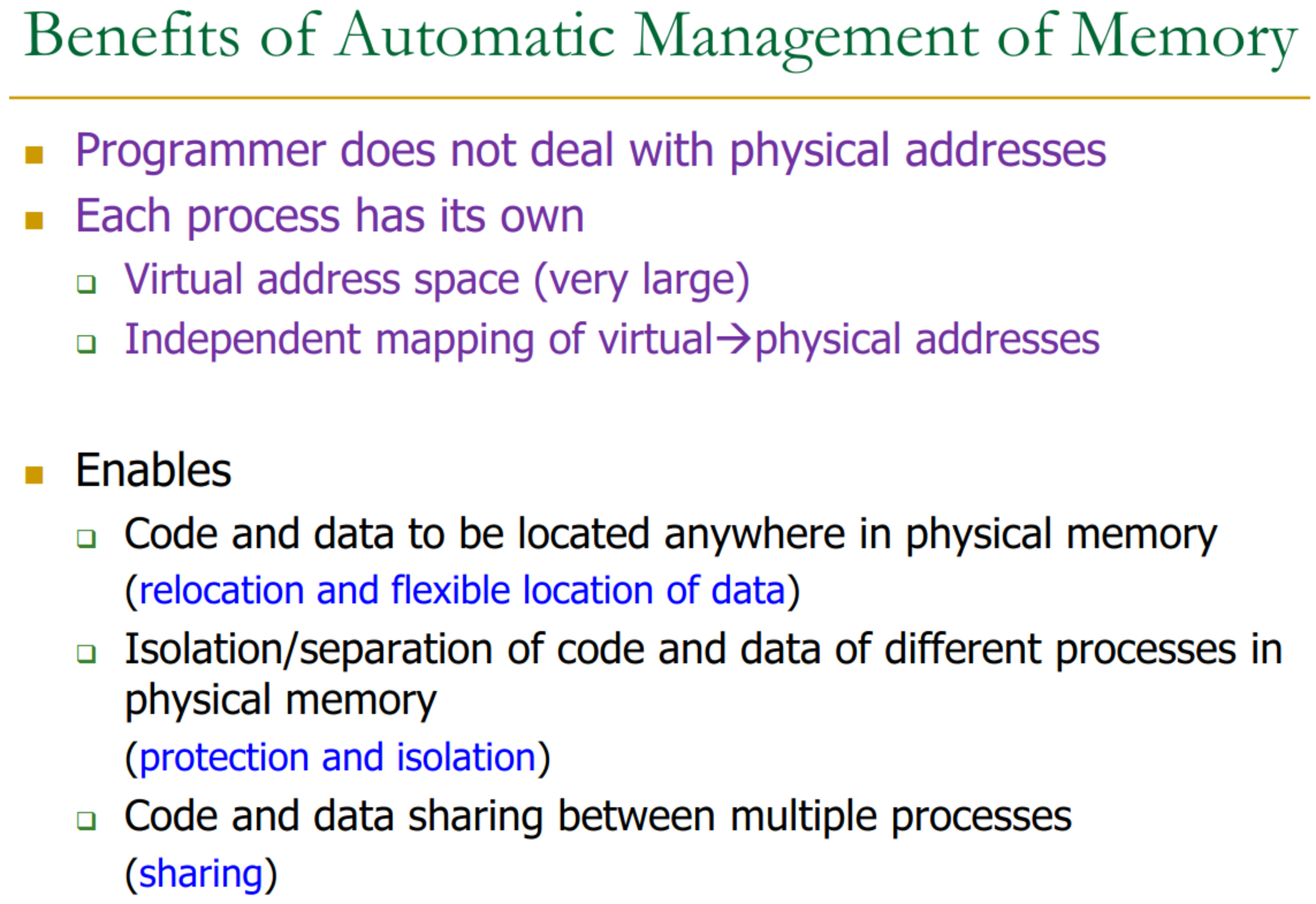
Virtual memory is like a dictionary → assigns a namespace for each program.
The programmer does not actually chose where the data is stored in physical memory → appears like a large contiguous address space.
With swap, etc… memory appears unlimited.
Virtual Memory has two roles:
- address translation: for the illusion of large memory
- memory protection: for access control
25.1 Virtual Memory
The System’s Role: A cooperative effort between system software (Operating System - OS) and hardware (Memory Management Unit - MMU) maps virtual memory addresses to physical memory addresses. This system automatically and transparently manages the physical memory space.
Classic programmer/architect trade-off: more convenient for programmer, more complex for architect.
Example:
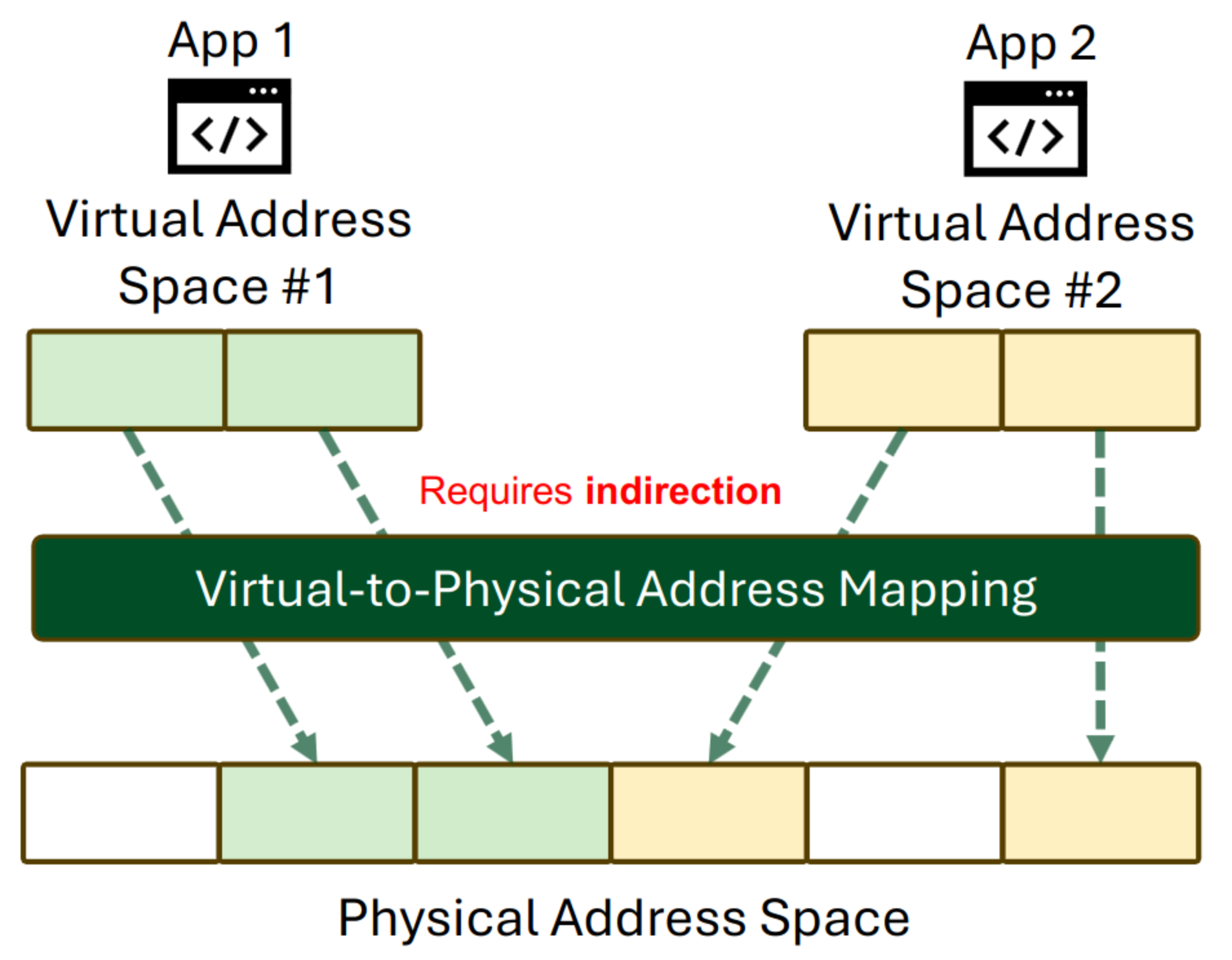
Without virtual memory:
- more difficult when multiple processes → programmer would need to make sure that they don’t conflict.
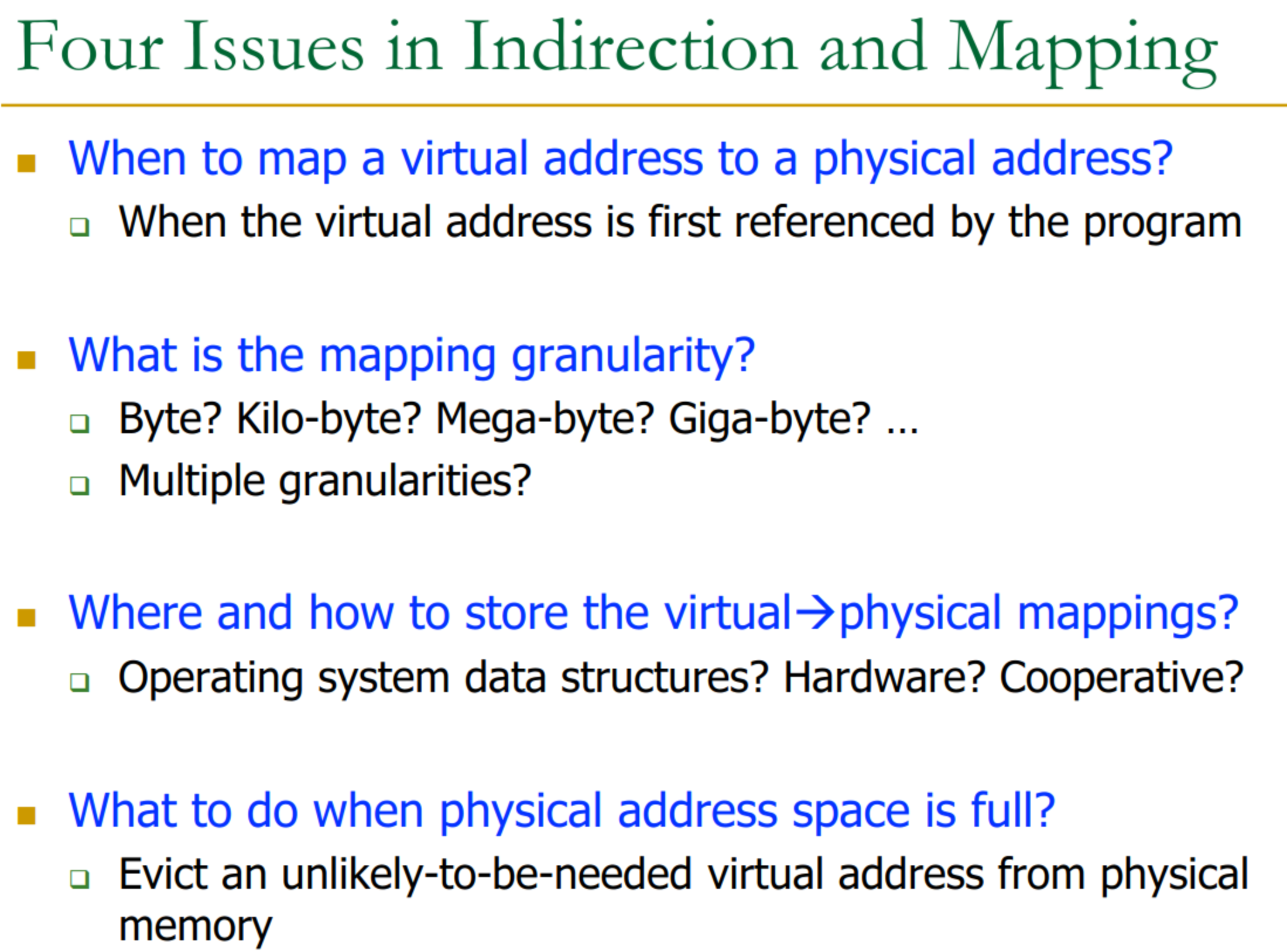
25.1.1 Four Issues
25.2 Mapping
Virtual Memory requires HW + SW support → Page Table is in memory.
It is the job of the software (e.g. OS) to
- populate page tables, decide what to replace in physical memory
- Change the PTBR on context switch
- Handle page faults and ensure correct mapping.
Four main parts:
- Indirection and Mapping: At the heart of virtual memory.
- Virtual Address: Addresses generated by instructions in a program are virtual addresses. These are not the addresses directly used to access main memory. (x86 calls this “linear address”).
- Physical Address: An address translation mechanism maps the virtual address to a physical address, which is then used to access main memory. (x86 calls this “real address”).
- This translation is a cooperative hardware/software effort.
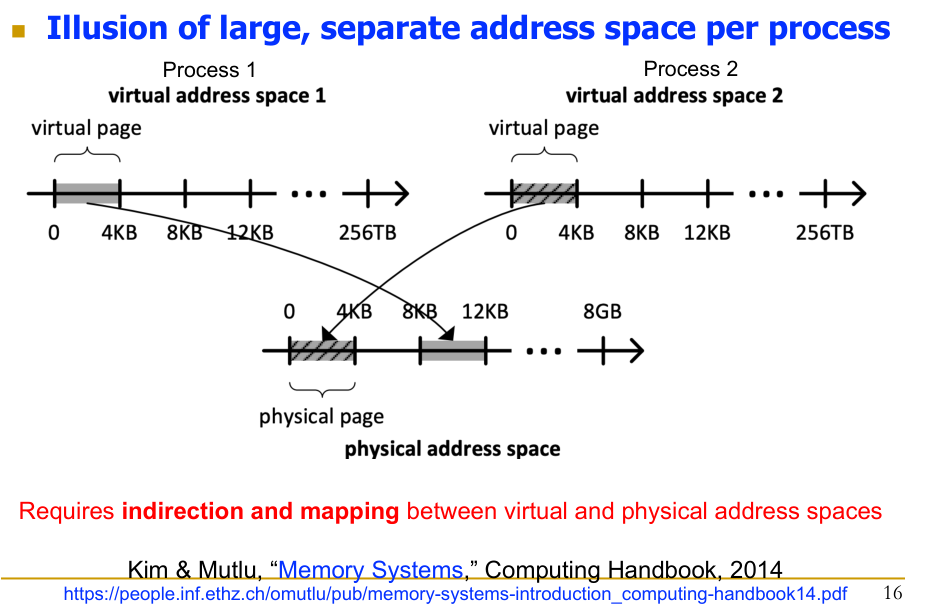
Example:
25.2.2 Paging
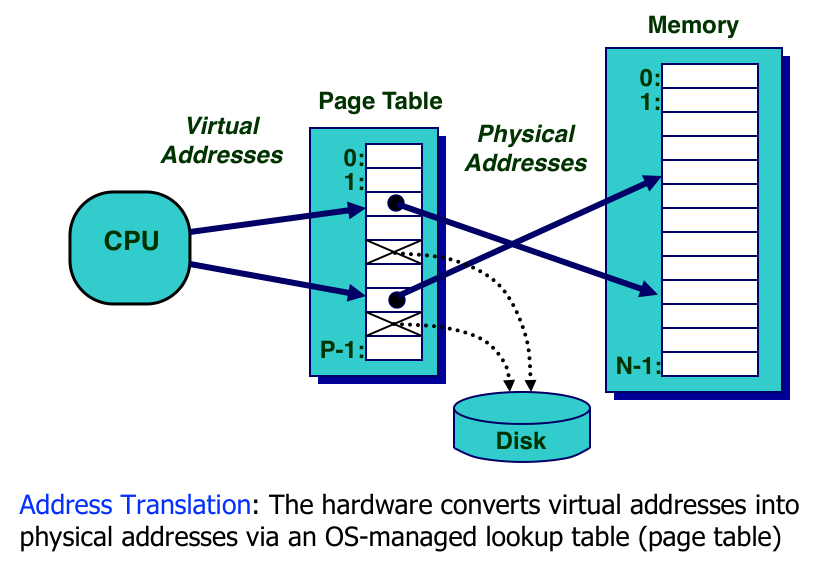
- Address Translation: The hardware (MMU) converts virtual addresses into physical addresses.
- This usually involves an OS-managed lookup table called the Page Table.
- Virtual Pages and Physical Frames:
- The virtual address space is divided into fixed-size blocks called pages.
- The physical address space is divided into fixed-size blocks called frames (typically the same size as pages).
- Mapping: A virtual page can be mapped to:
- A physical frame, if the page currently resides in physical memory.
- A location on disk (or other backing store), if the page is not in physical memory.
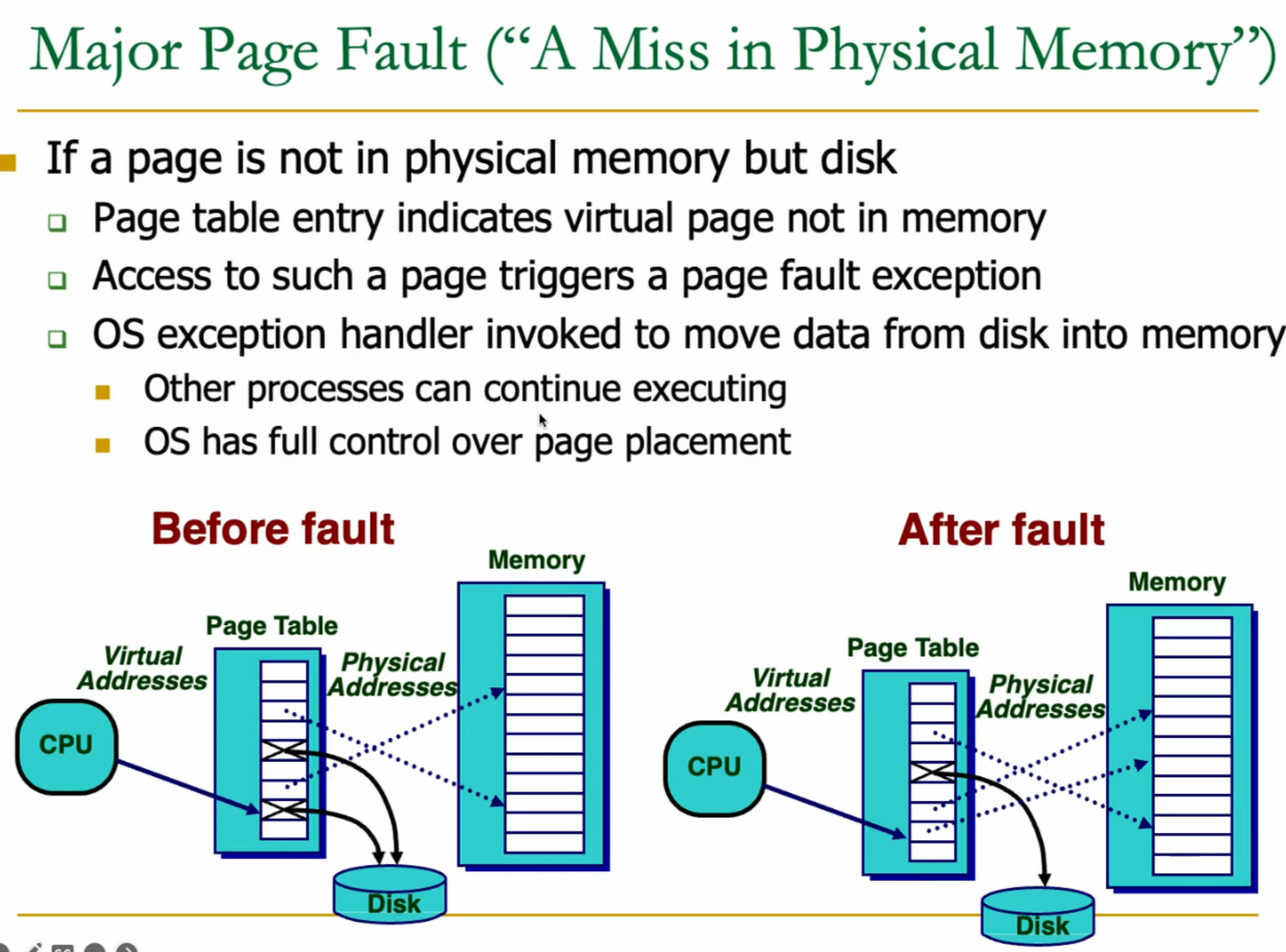
- Page Fault: If an accessed virtual page is not in physical memory (its mapping indicates it’s on disk or invalid):
- An exception (a page fault) is triggered.
- The OS handles the page fault.
- Demand Paging: The OS brings the required page from disk into an available physical frame.
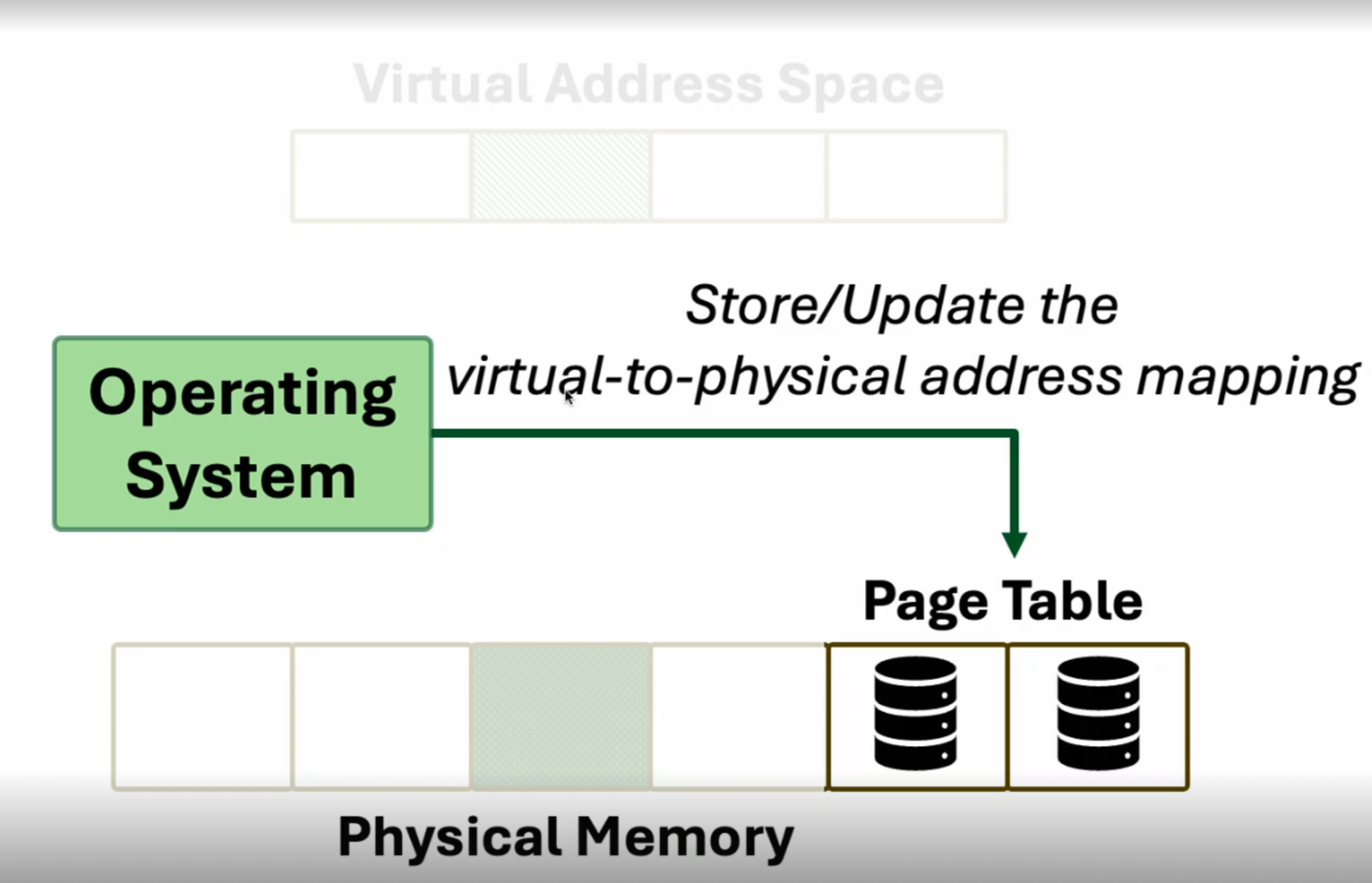
- The page table is updated to reflect the new mapping.
- The faulting instruction is typically restarted.
- Page Table: A data structure (usually in memory, managed by the OS) that stores the mappings of virtual pages to physical frames.
25.2.3 Physical Memory as a Cache
In essence, physical memory acts as a cache for pages stored on disk.
- It’s often a fully-associative cache in the sense that any virtual page can potentially be mapped to any physical frame.
- Many standard caching issues apply:
- Placement: How to find/place a page in physical memory (mapping).
- Replacement: If physical memory is full, which page (physical frame) to evict to make room for a new page from disk.
- Granularity: Page size (analogous to block size).
- Write Policy: Typically write-back for pages (dirty bit in page table entry indicates if a page in memory has been modified and needs to be written to disk upon eviction).
Analogies between Cache and Virtual Memory
| Cache Term | Virtual Memory Term |
|---|---|
| Block | Page |
| Block Size | Page Size |
| Block Offset | Page Offset |
| Miss | Page Fault |
| Index (for set) | Virtual Page Number (VPN) |
| Metadata (Tag Store) | Page Table |
| Data Store | Physical Memory |
25.3.3 Address Translation Details
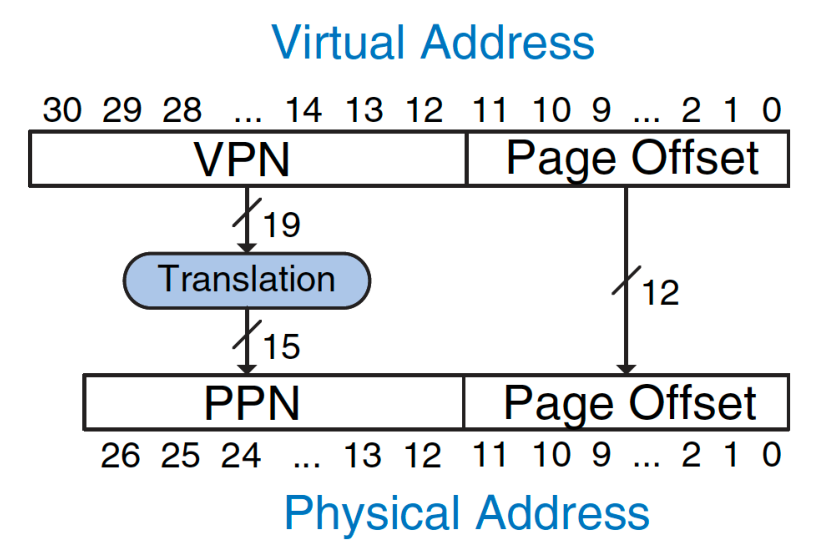
→ Note we do not need to translate Page Offset, as it’s mapped the same.
If we increase page offset size → smaller dictionary, but bigger pages = more loading / unloading on process switching.
A virtual address is typically split into two parts:
- Virtual Page Number (VPN): The higher-order bits, used to index the page table.
- Page Offset: The lower-order bits, indicating the byte offset within the page. This offset is the same for both virtual and physical addresses and is not translated.
The translation process converts the VPN into a Physical Page Number (PPN) or Physical Frame Number (PFN). The physical address is then formed by concatenating the PPN with the original Page Offset.
Example:
- Virtual memory size: 2 GB = 231 bytes
- Physical memory size: 128 MB = 227 bytes
- Page size: 4 KB = 212 bytes
- Virtual address: 31 bits
- Physical address: 27 bits
- Page offset: 12 bits
- VPN bits: 31−12=19 bits (so 219 virtual pages)
- PPN bits: 27−12=15 bits (so 215 physical frames)
25.3.4 Translation Process using a Page Table
The Page Table
- Contains an entry for each virtual page in a process’s address space.
- Each Page Table Entry (PTE) contains at least:
- Valid bit (V): Indicates if the mapping is valid and the page is in physical memory.
- Physical Page Number (PPN/PFN): The physical frame where the virtual page is located (if V=1).
- Other bits:
- Replacement policy information (e.g., reference bit for CLOCK algorithm).
- Dirty/Modified bit (for write-back).
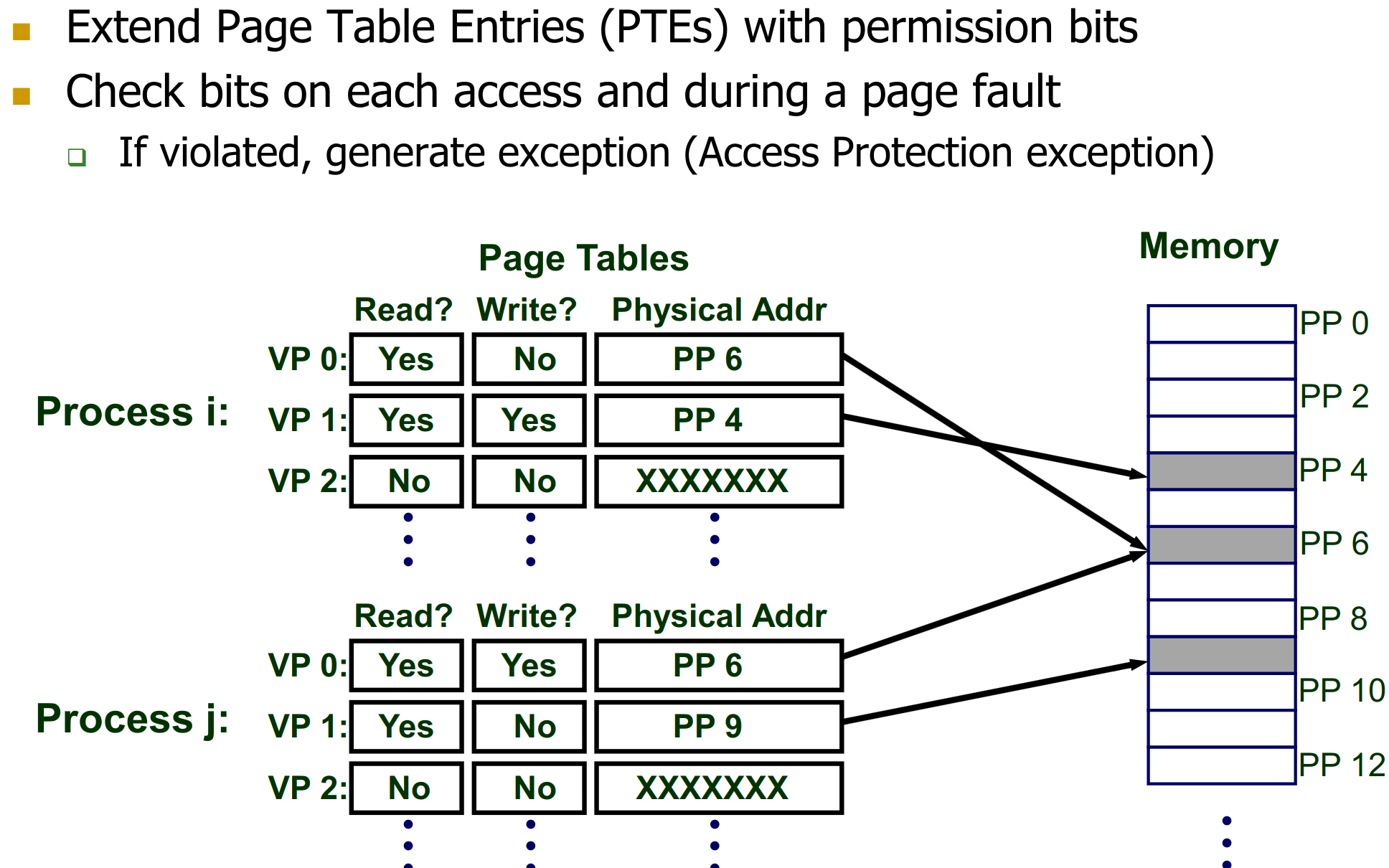
- Permission/Access control bits (Read, Write, Execute, Supervisor/User).
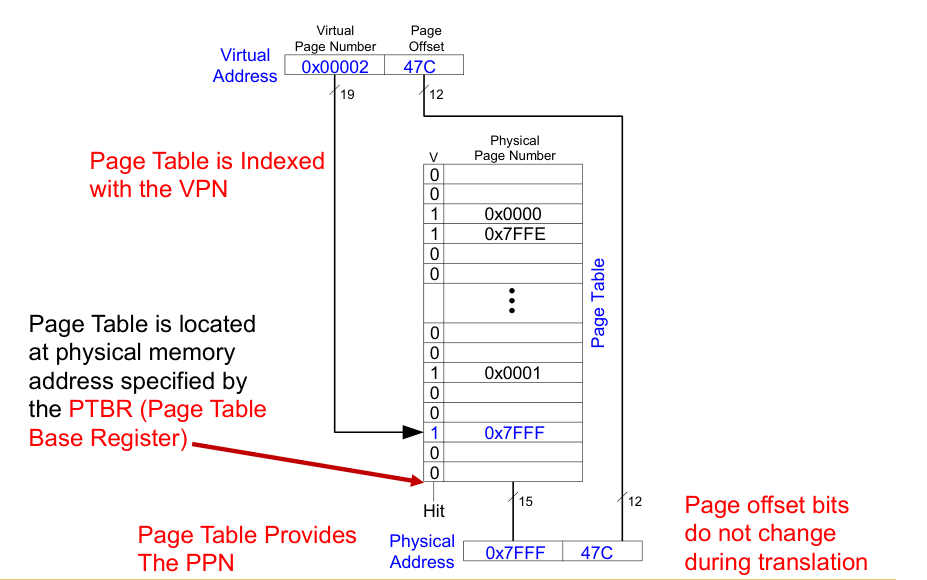
- The CPU generates a virtual address.
- The VPN is extracted.
- The Page Table Base Register (PTBR) (a special CPU register, loaded by the OS for the current process) holds the physical base address of the current process’s page table.
- The address of the PTE is calculated:
PTE_address = PTBR + (VPN * PTE_size). - The MMU (or a hardware page walker) reads the PTE from this memory location.
- If PTE.Valid is 1:
- The PPN is extracted from the PTE.
- The physical address is formed:
PA = (PTE.PPN << PageOffsetBits) | PageOffset. - Access control bits in the PTE are checked. If the access is permitted, the memory access proceeds. If not, a protection fault (exception) occurs.
- If PTE.Valid is 0:
- A page fault exception occurs. The OS handles it (demand paging).
Note: If there is no mapping from the VPN to PPN in the Page Table, an exception occurs → OS handles this (requests a new page, etc…)
25.3.5 Hierarchical Page Tables
Issue: Page Table Size
A single-level page table for a large virtual address space (e.g., 64-bit) can be enormous.
- Example: 64-bit VA, 4KB pages (12 byte offset). VPN is 64−12=52 bits.
- Number of PTEs = .
- If each PTE is 4 bytes, total page table size = ×4 bytes=254 bytes=16 Petabytes. This is per process and clearly too large to store entirely in physical memory.
My Program will not need the entire virtual address space.
To manage the large size of page tables:
- Idea: Organize the page table hierarchically. Only the top-level page table (and actively used parts of lower-level tables) need to be in physical memory.
- The VPN is split into multiple parts, each part indexing a different level of the page table.
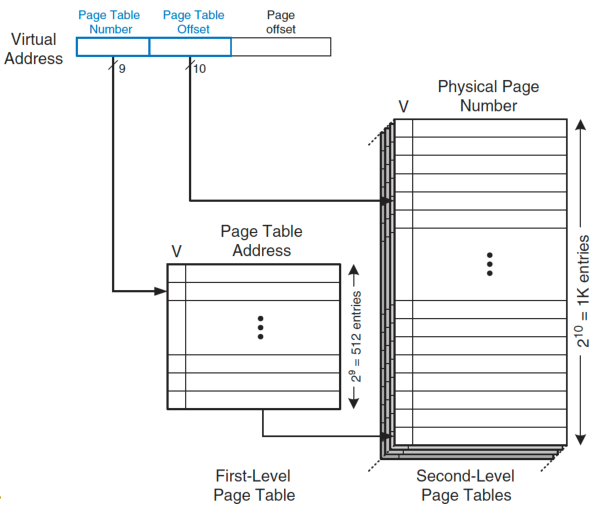
- The first-level page table entry points to the base of a second-level page table. The second-level entry points to a third, and so on, until the final level points to the PPN.
- Benefit: Portions of the page table hierarchy corresponding to unused regions of the virtual address space do not need to be allocated or resident in memory.
- Drawback: Address translation now requires multiple memory accesses (one for each page table level) if the intermediate PTEs are not cached. For an N-level page table, N memory accesses are needed to find the final PTE before the actual data access.
Example: We only allocate 2nd level page tables in memory if they contain actual address mappings → otherwise just 0.
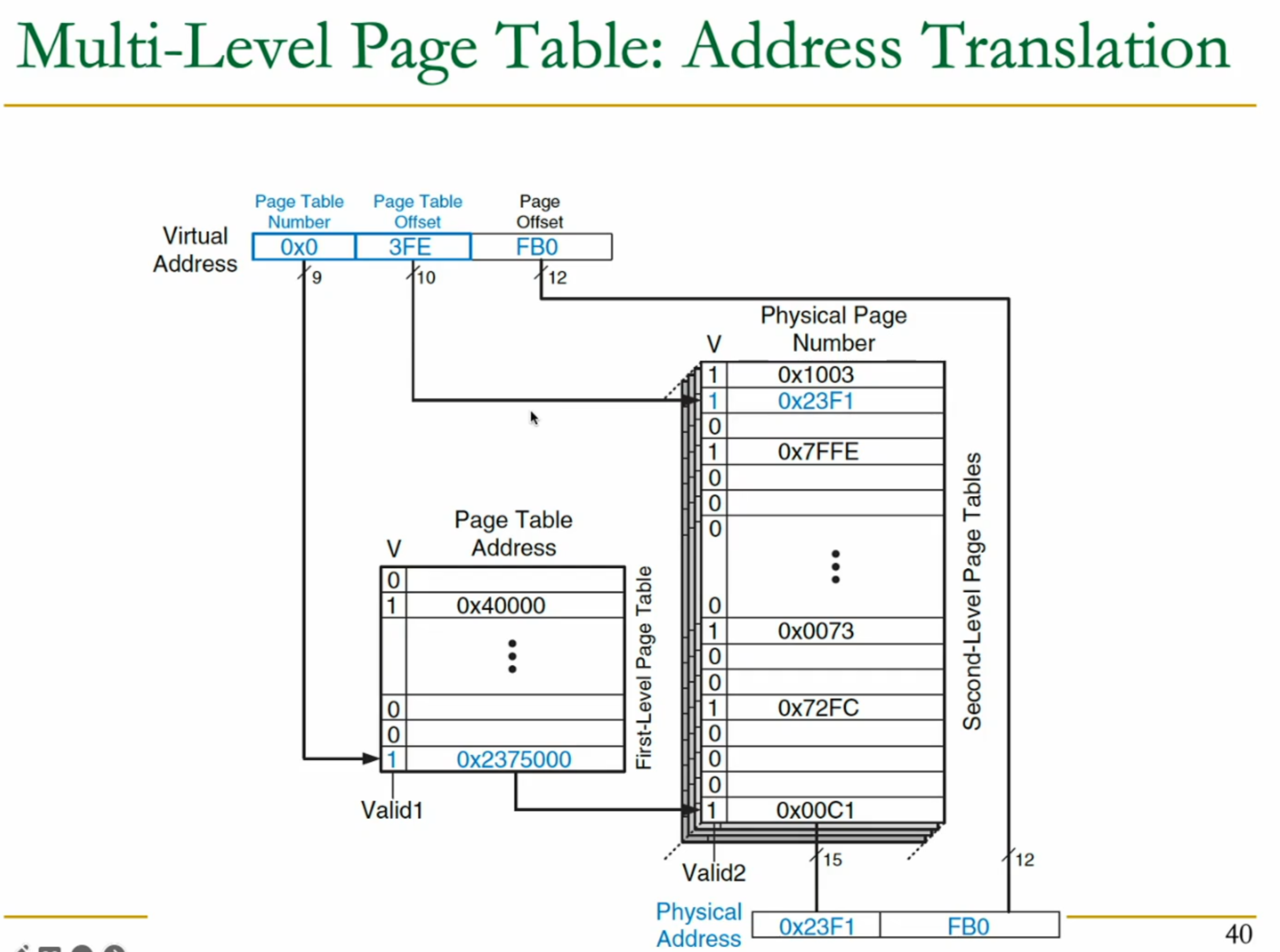
In this example, I need to perform 2 access for the page table, and then 1 more to fetch the actual data.
25.3.6 Page Table Walk in x86
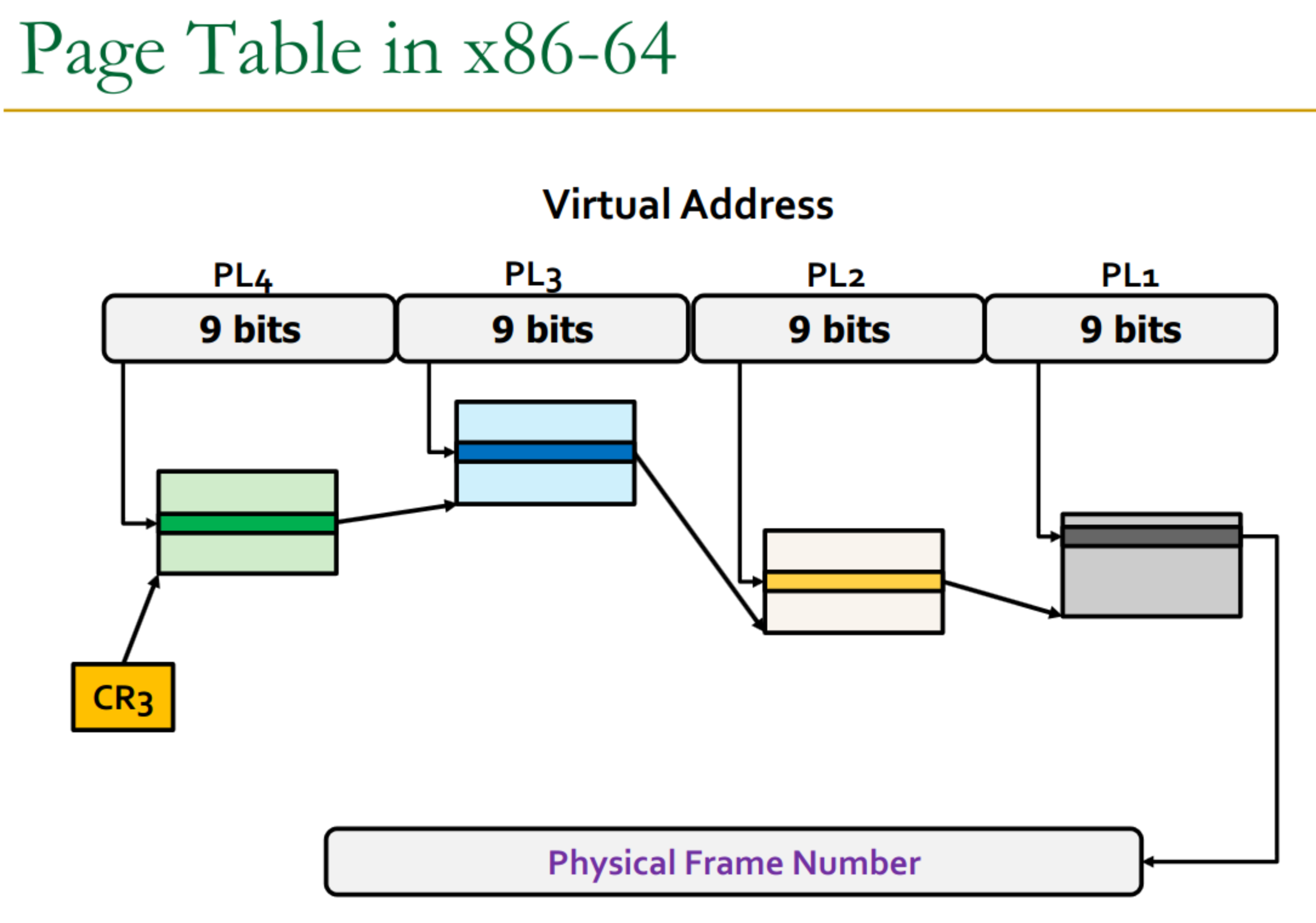
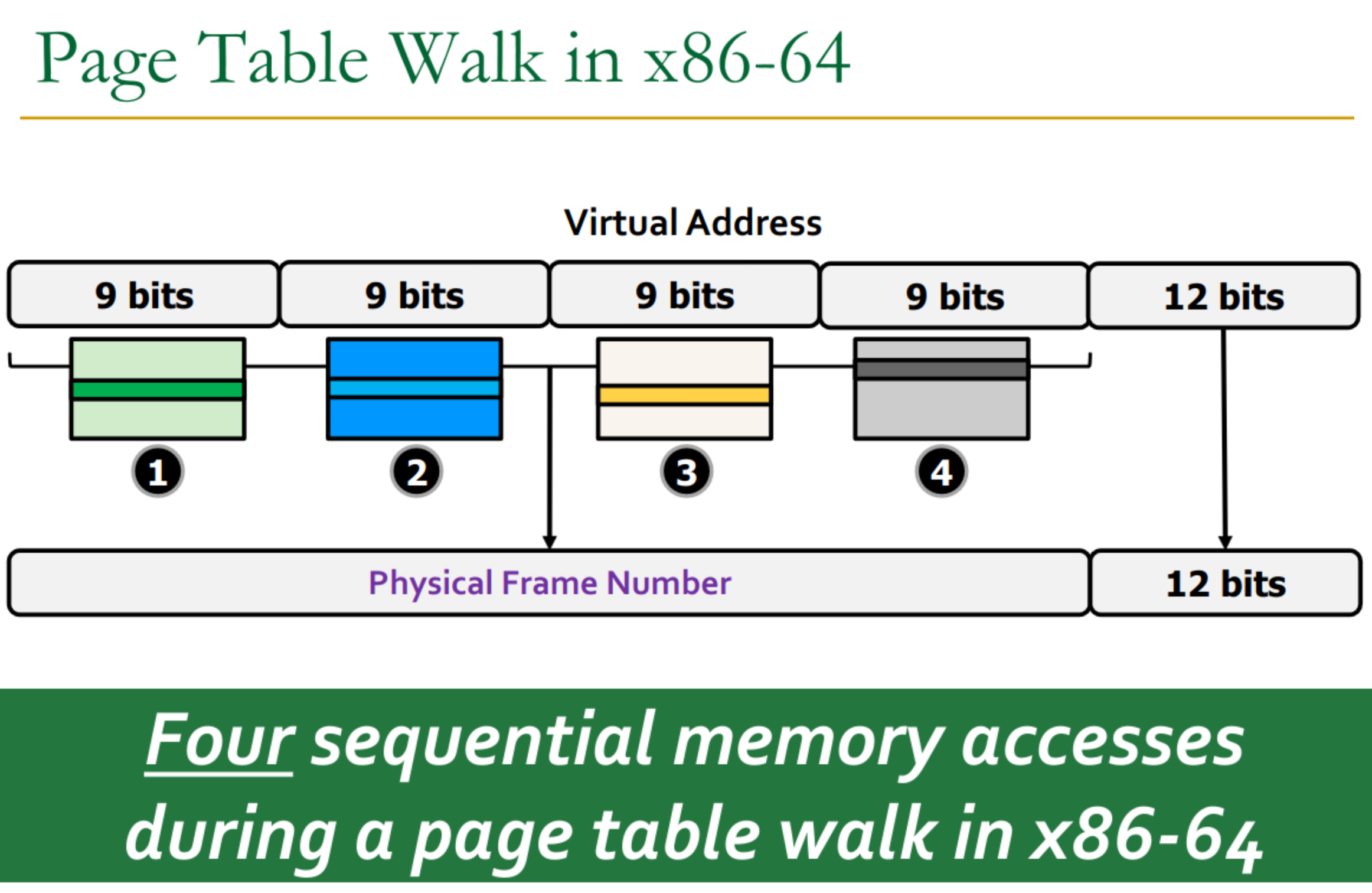
Modern systems like x86-64 use multi-level paging (e.g., 4 or 5 levels).
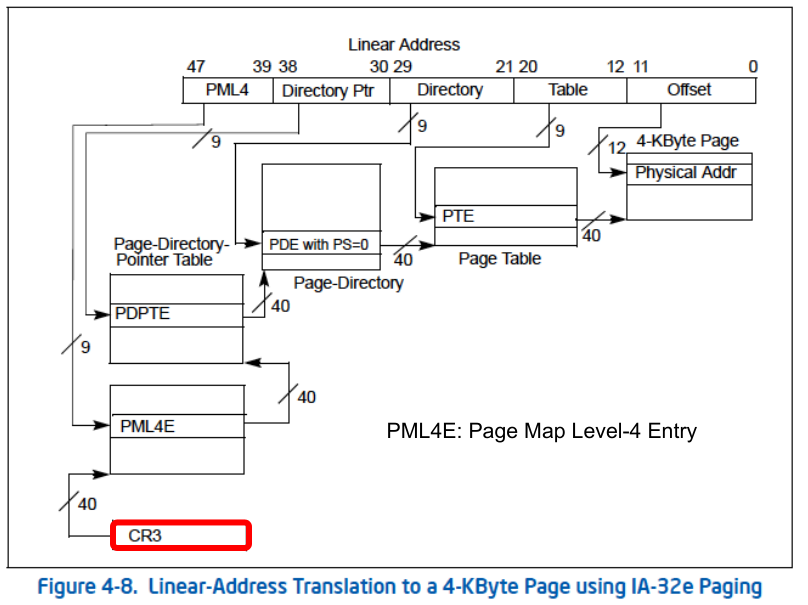
The base of the top-level page table is typically pointed to by a control register (e.g., CR3 in x86).
Example of a walk in x86
25.4 How does the CPU discover the Mapping
When we need more memory, a page fault will occur → we have to allocate more.
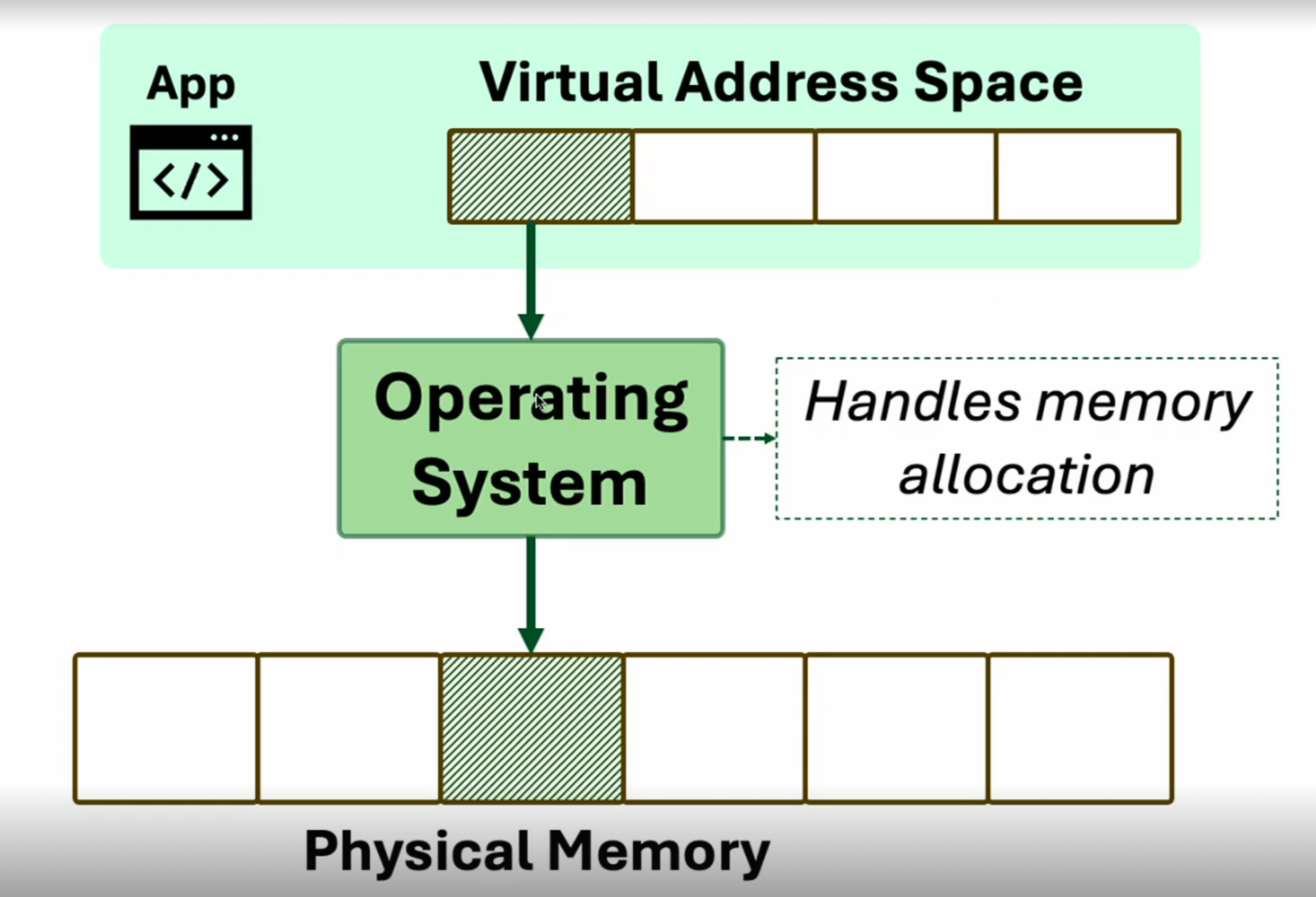
So then, how does the CPU discover the mapping chosen by the OS during the interrupt handling?
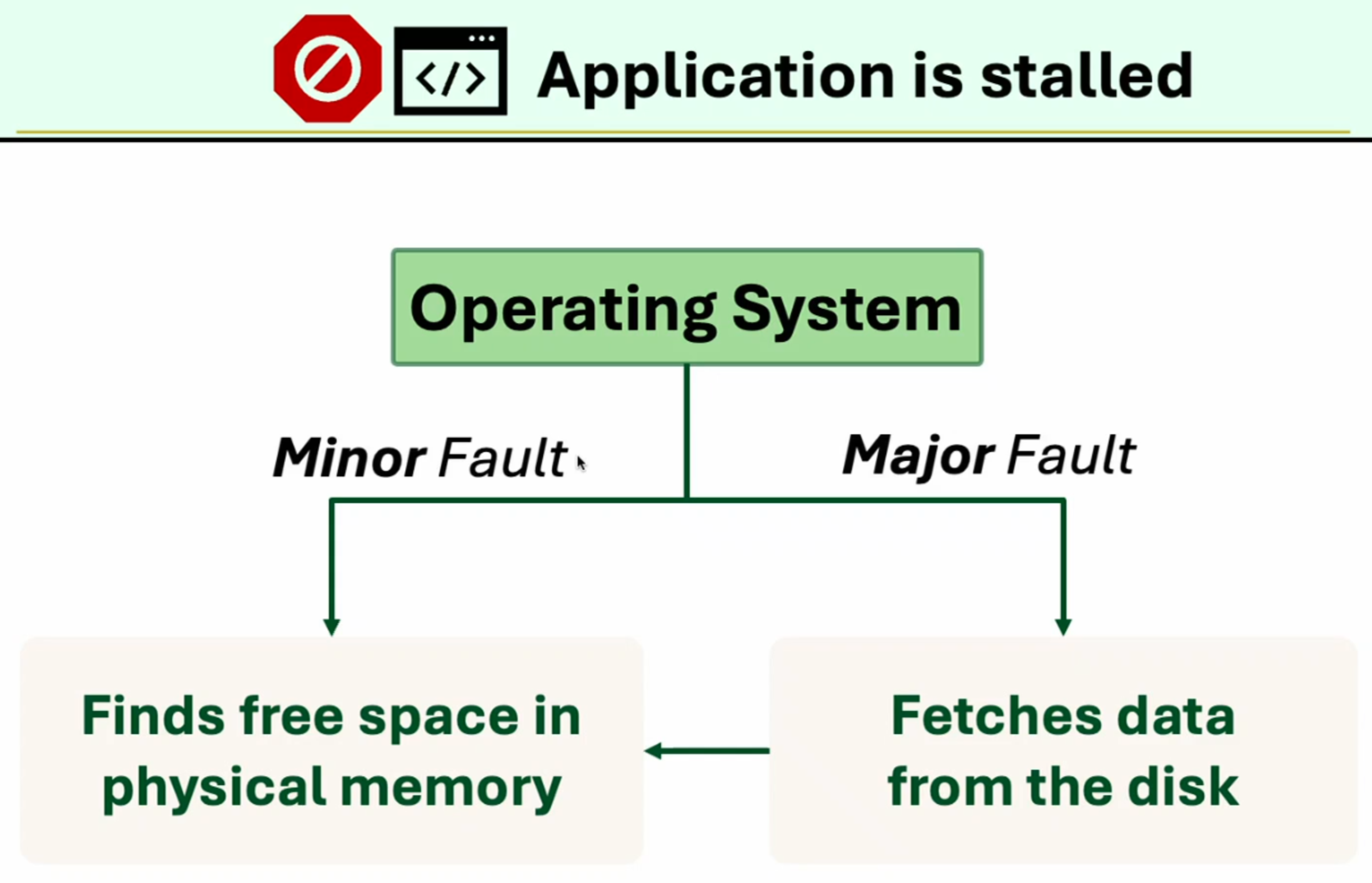
Two types of fault:
25.4.1 Major Fault
Major Fault
Os finds out that the page is on disk + need to find free space for the page in the physical memory
We have special DMA (data memory access) engine: don’t want cpu to run instructions just to move memory → it should continue to speculatively execute or OoO the program.
So how do we fix that:
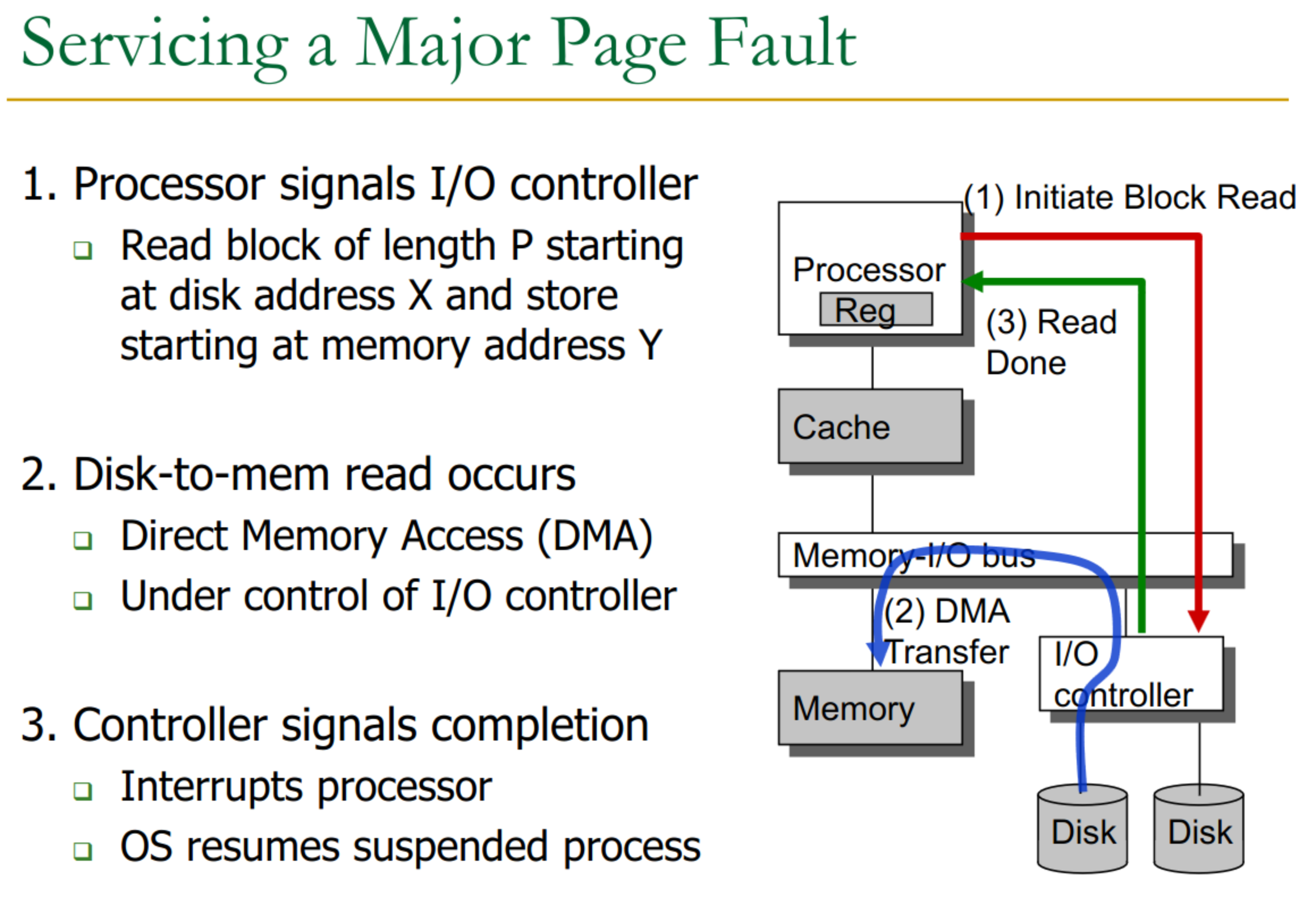
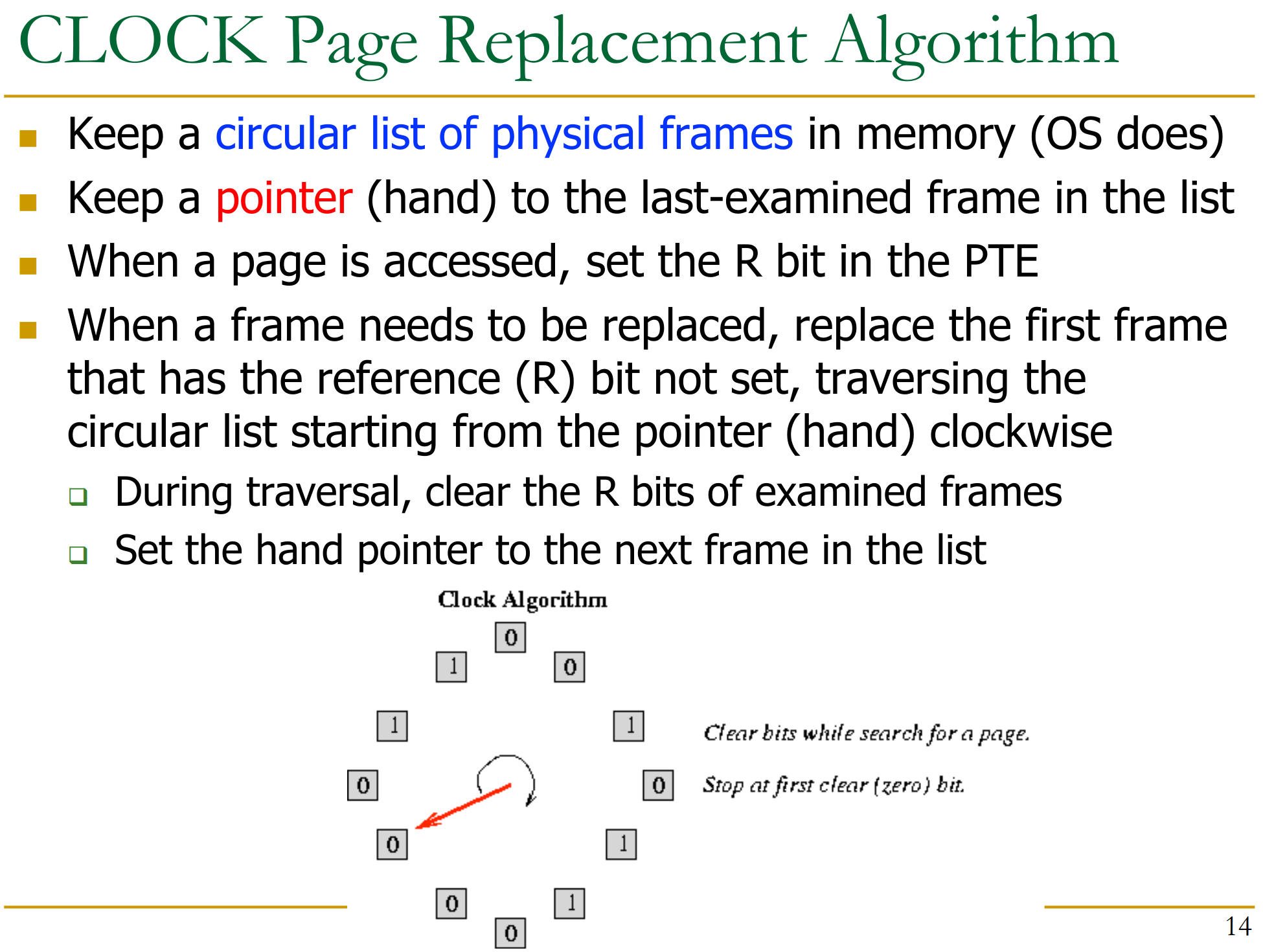
If there’s no free memory left, we need to evict some other page before we can load the new one from disk. The algorithm that decides what to evict is CLOCK (or more sophisticated versions). It runs on OS level, instead of hardware, allowing for more flexibility.
25.5 Translation Lookaside Buffer
Each core has a dedicated MMU (Memory management unit) to resolve address translation requests. It contains:
- TLB
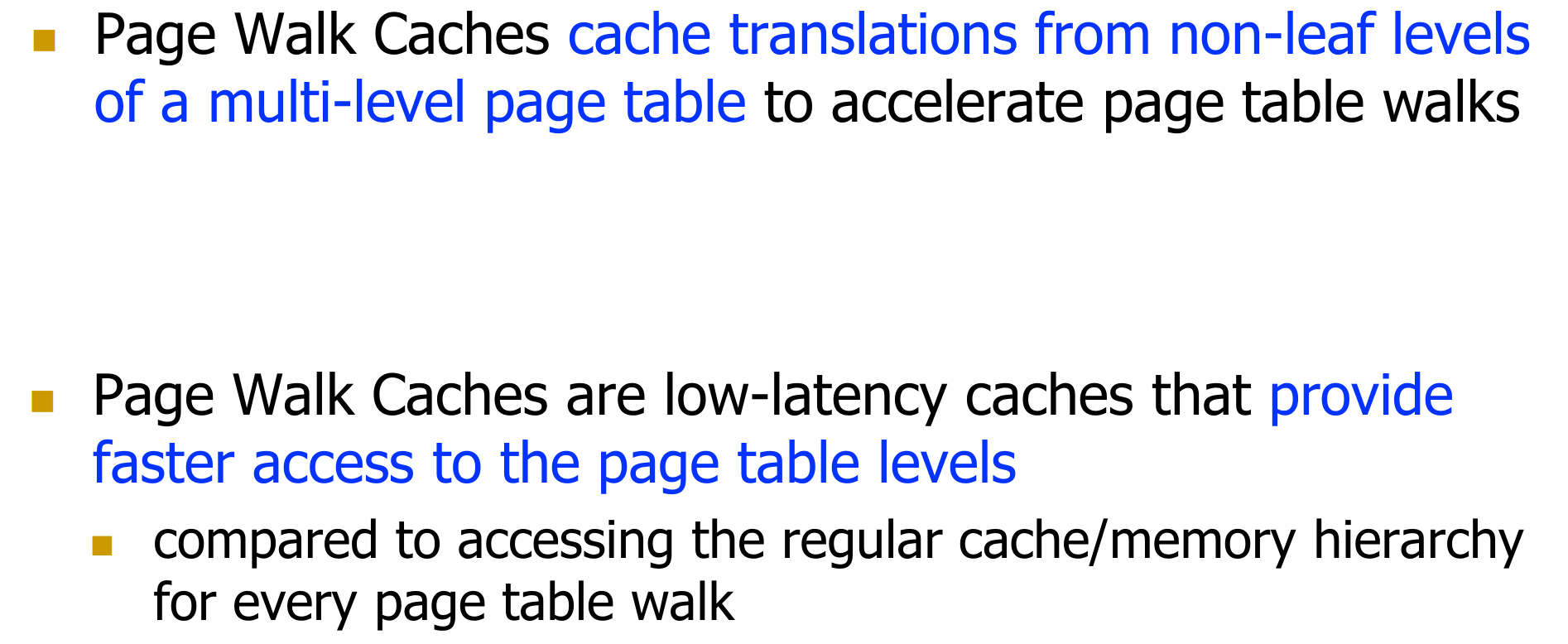
- Page table walk caches
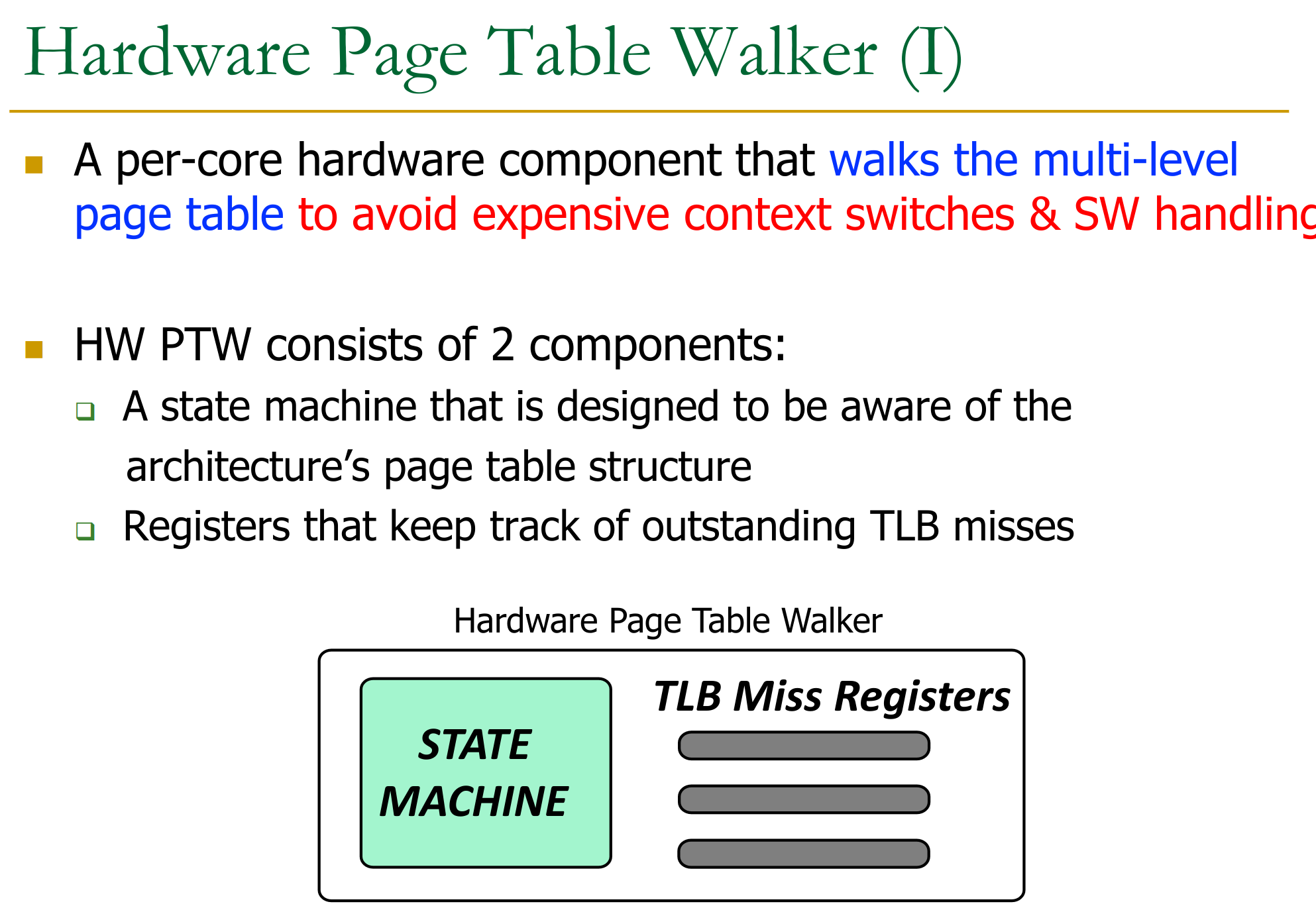
- Hardware page table walkers
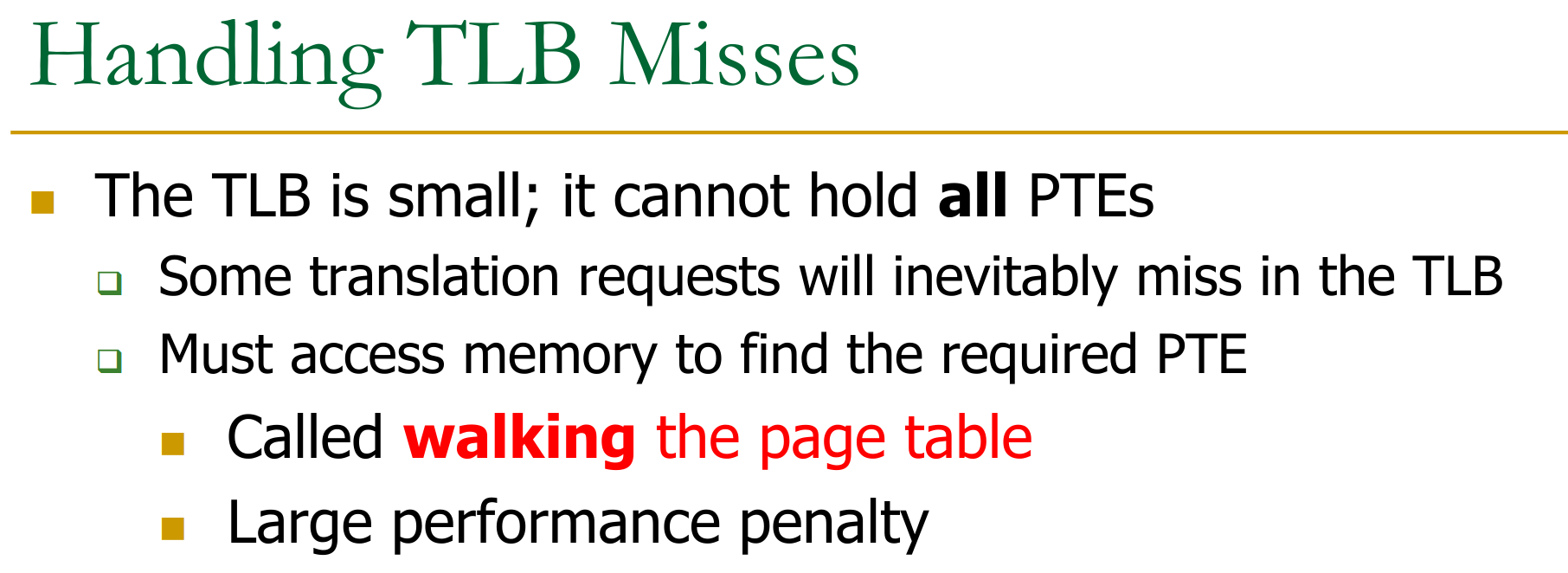
TLB: To speed-up translation of VPN to PPN, we keep a cache of mappings in the TBL (translation lookaside buffer).
→ all standard cache optimisations apply to this buffer (associativity, eviction policy, prefetching, etc…)
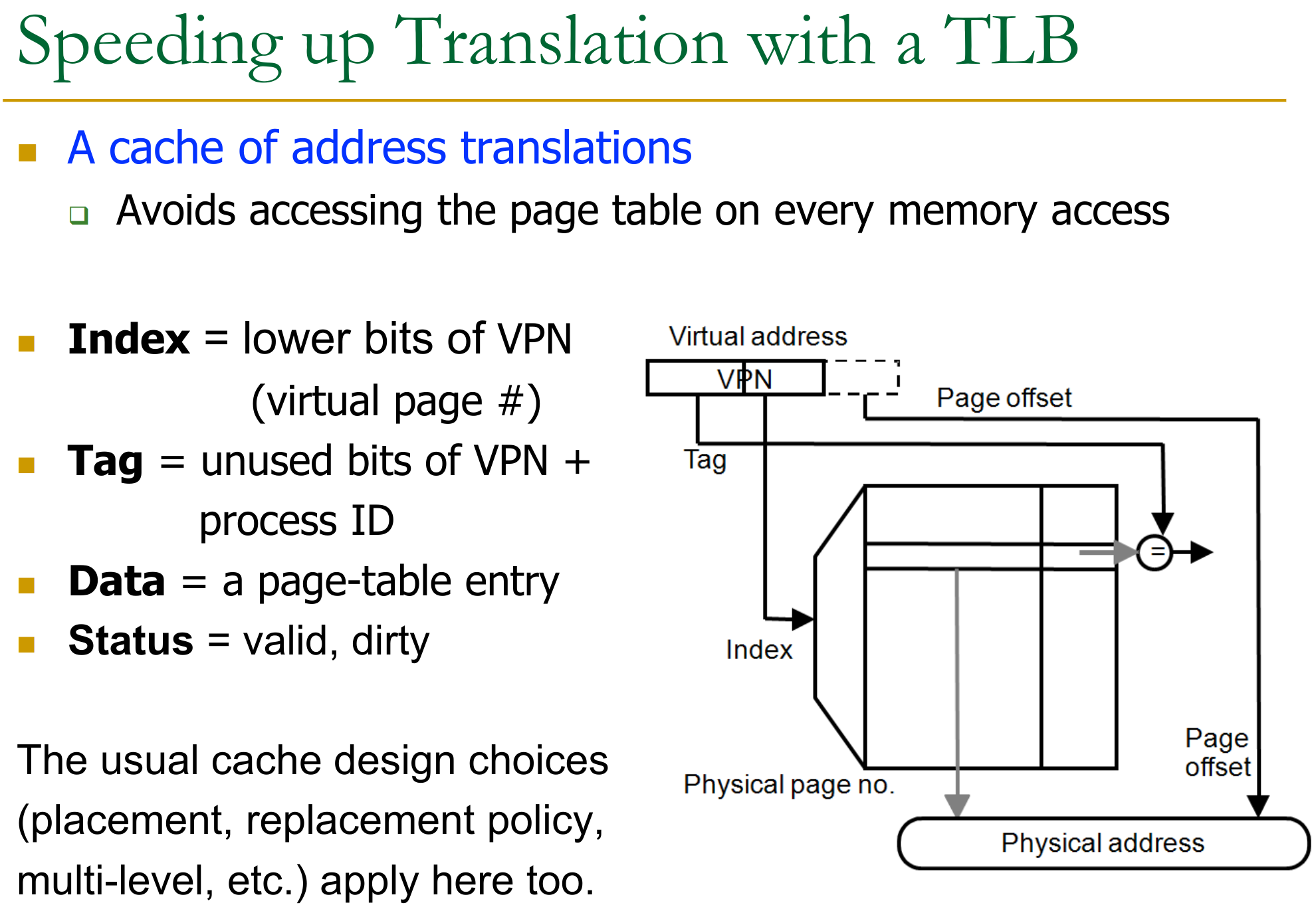
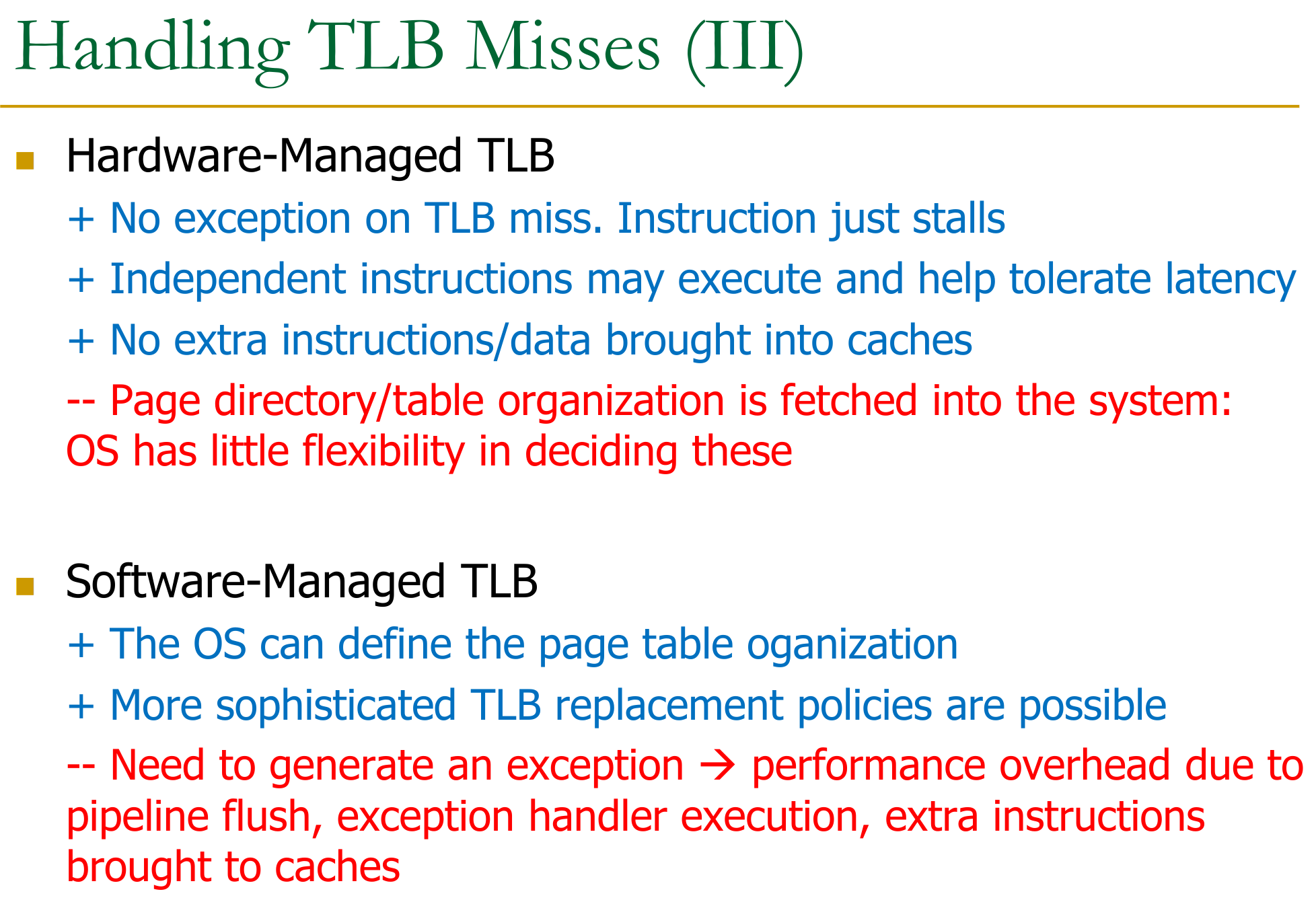
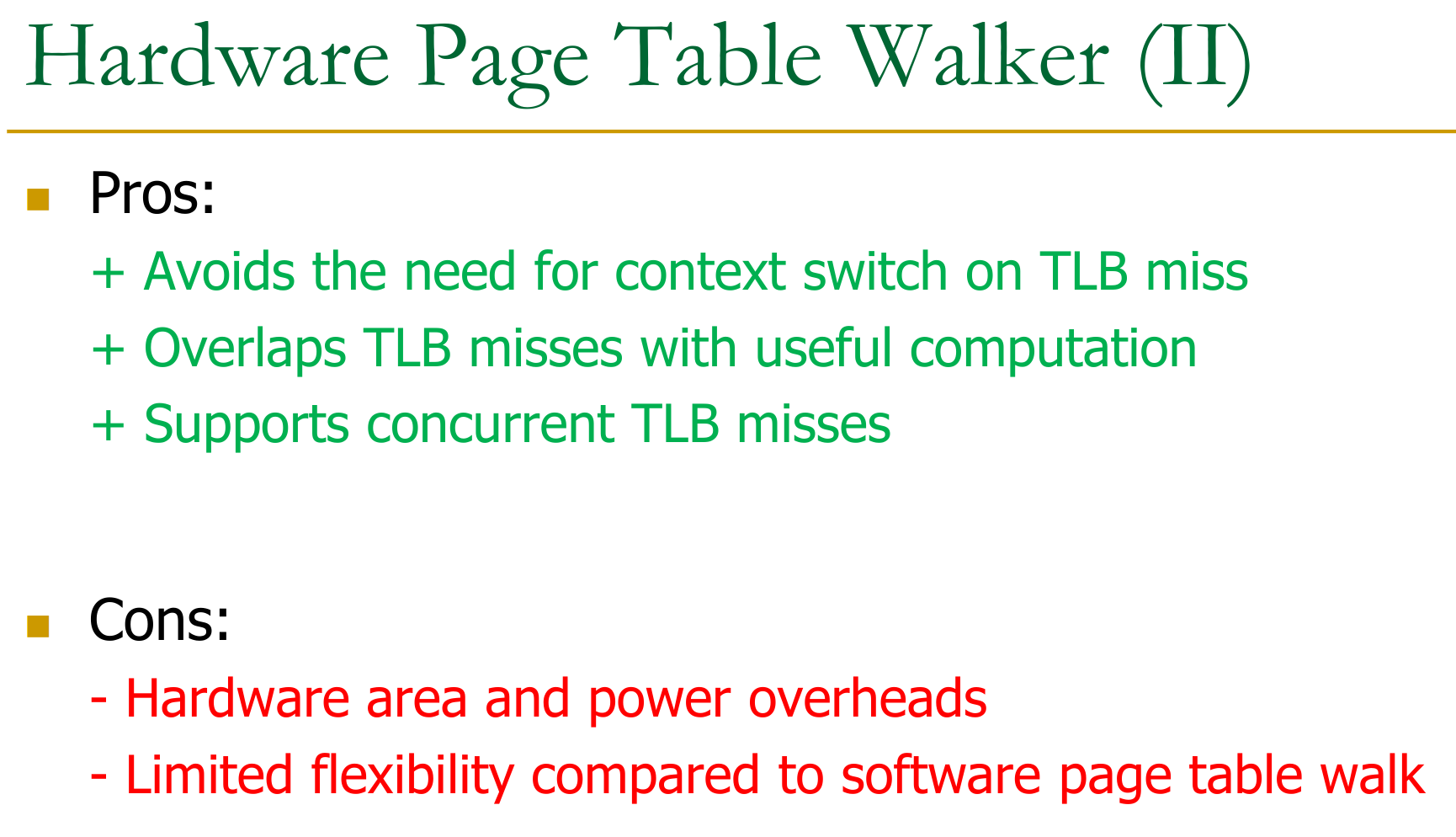
on a TLB miss:
- x86: hardware handles page walk automatically
- during stall the CPU can perform other instructions
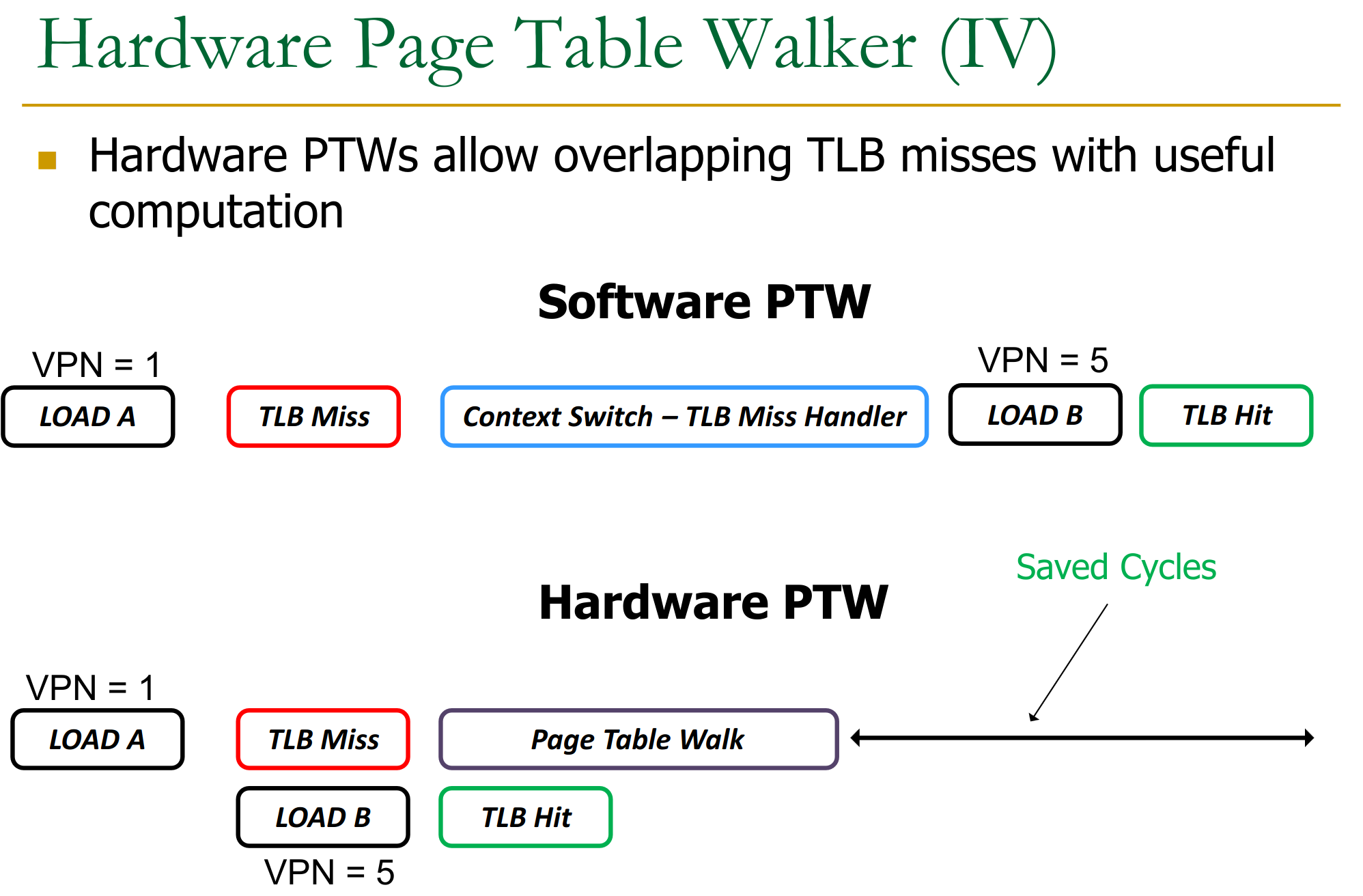
- here we can employ things like 25.5.3 Page Walk Caches to speed up the process again
- during stall the CPU can perform other instructions
- MIPS (software managed): exception is raised, OS fetches and places PTE into the TLB → more overhead due to flushing pipeline but allows more flexibility
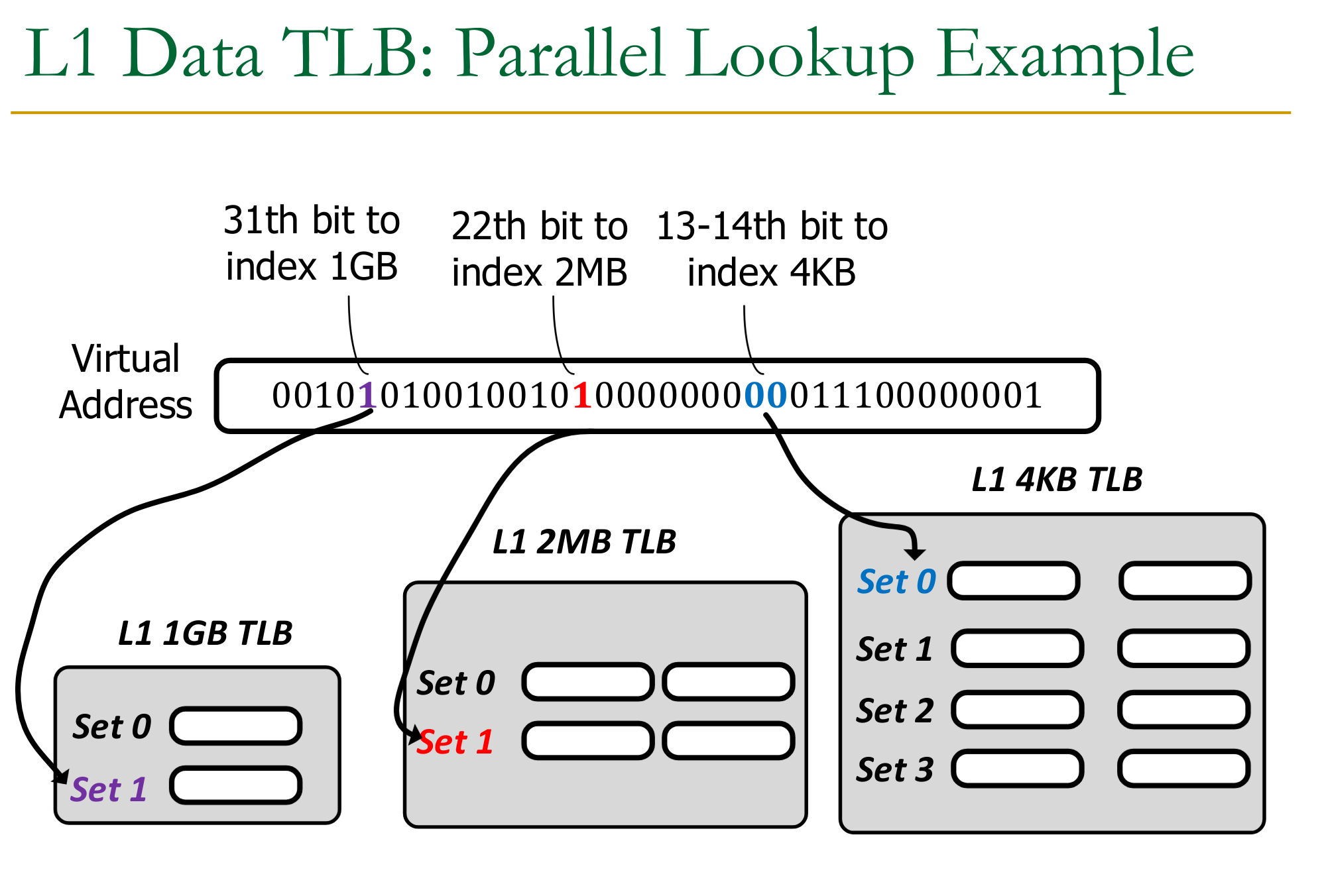
25.5.1 Parallel Lookup for Page Size
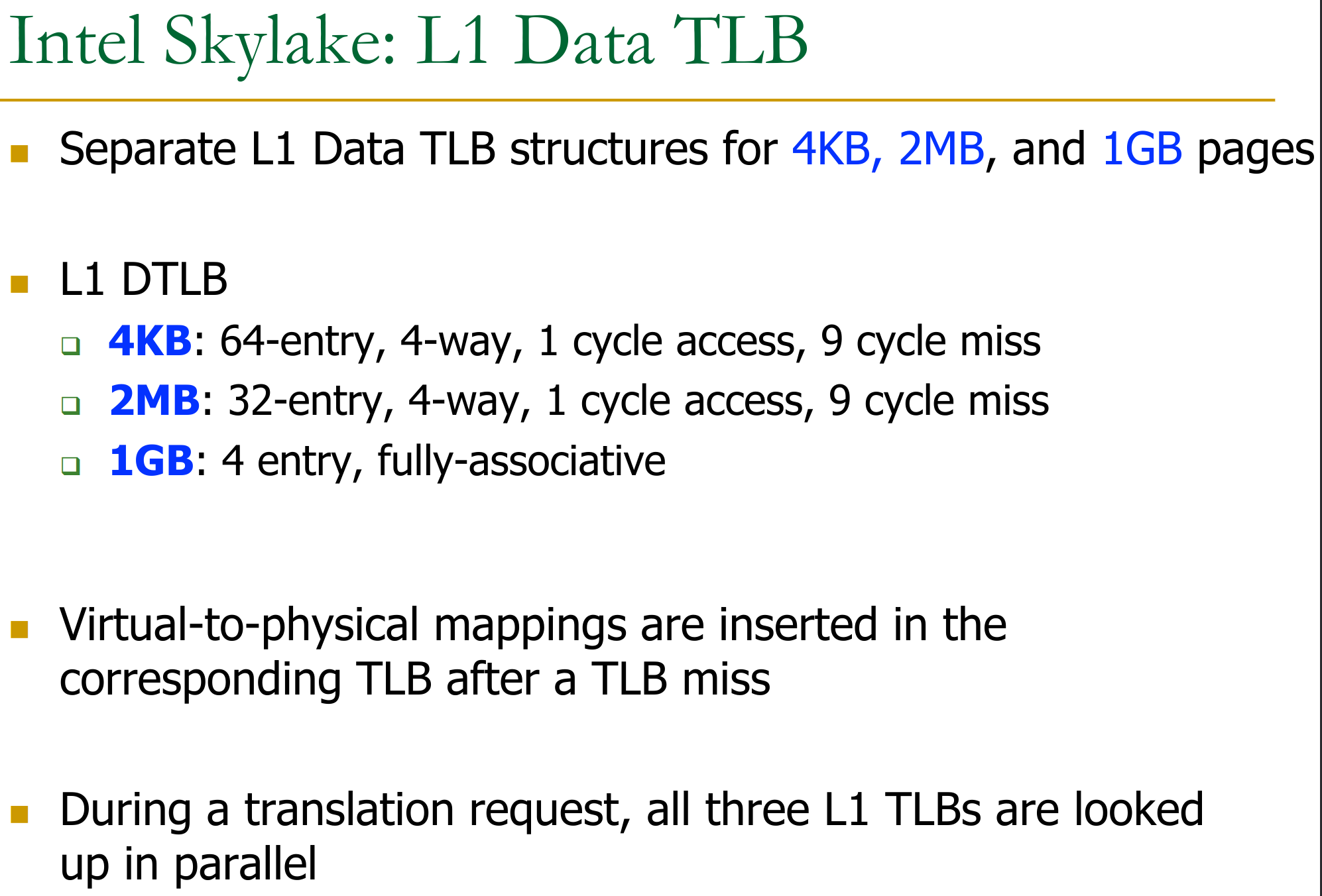
Page size is not fixed, and the cache needs to be able to handle different page sizes.
Example: L1 cache
Example: L2 Cache
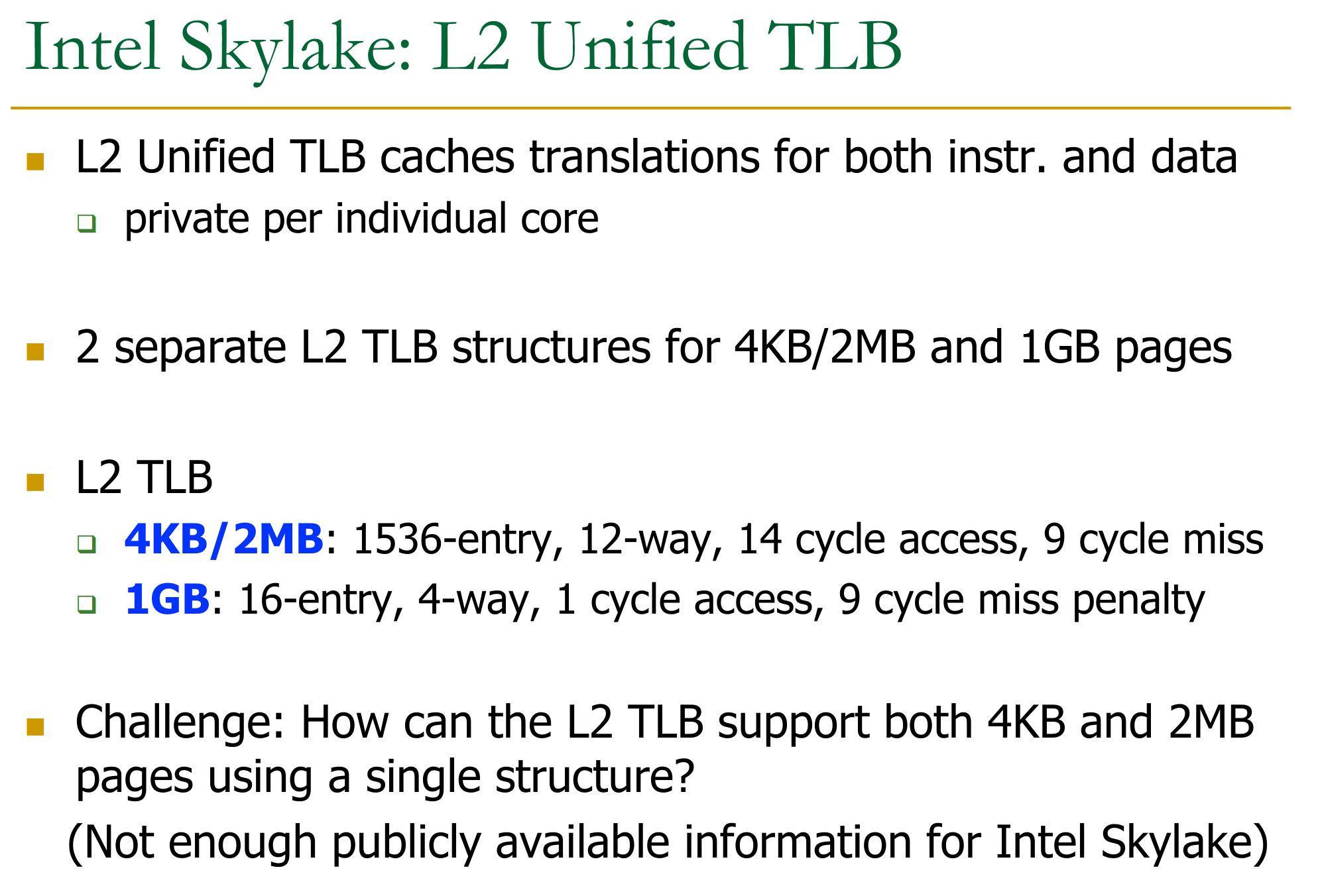
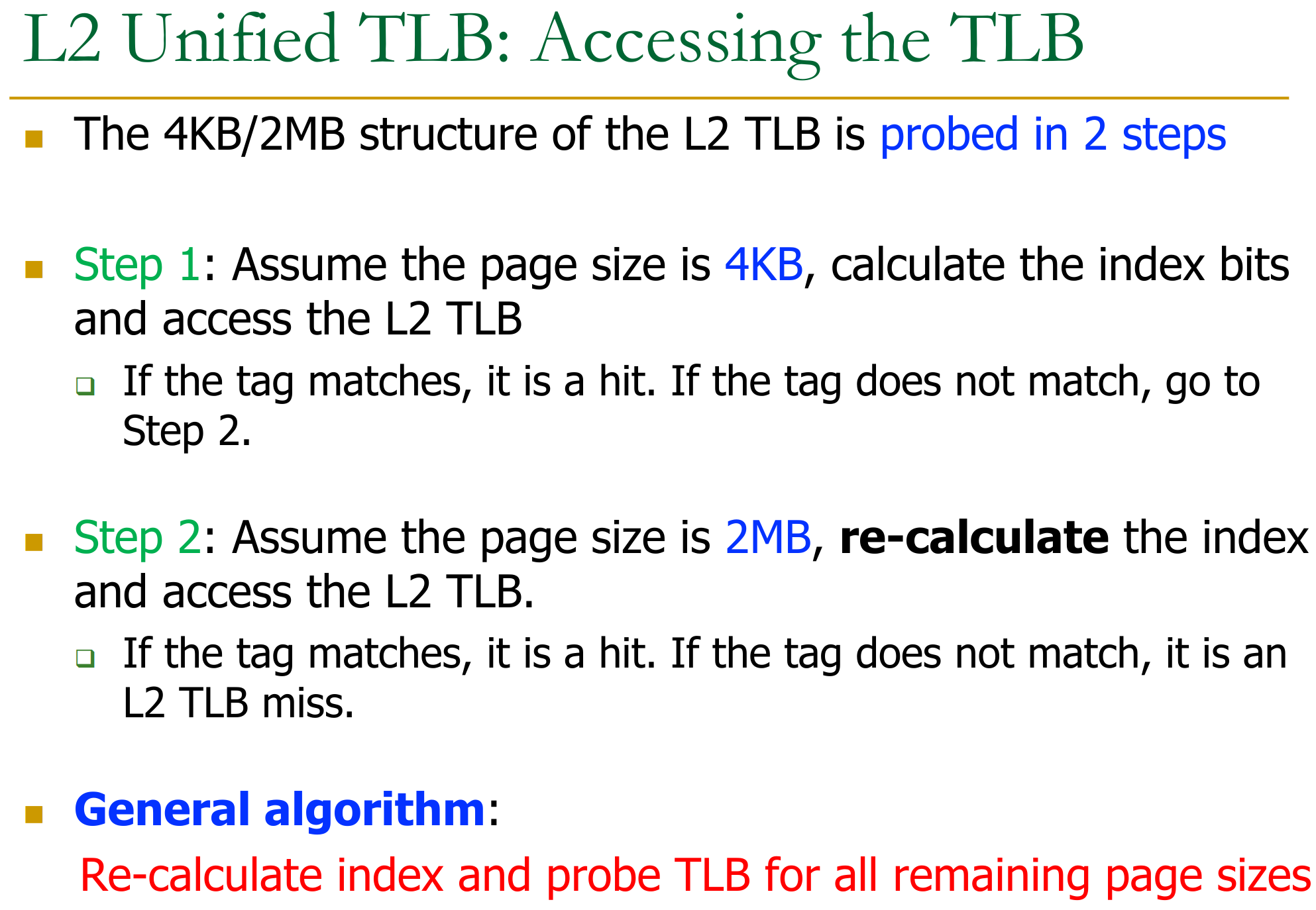
Performance Issues: Different page sizes take longer/shorter to allocate:
- 2MB page > 4kb page because we need to clear 512x the memory to avoid security issues
25.5.2 Hardware Page Table Walker
25.5.3 Page Walk Caches
25.5.4 Timing for Address Translation
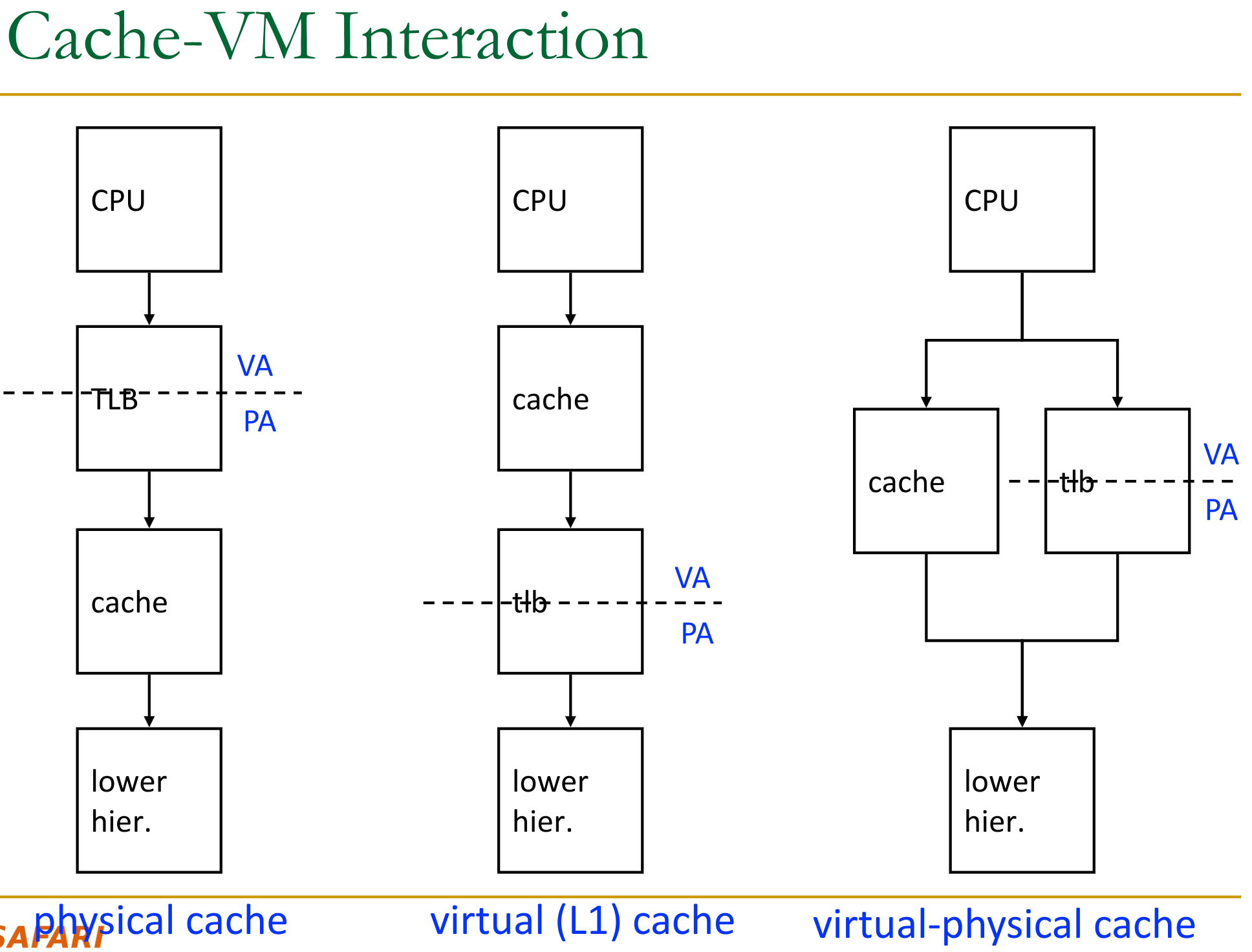
When do we start the translation of an address? Before or after accessing L1?
-
difference between physically indexed cache and virtually indexed cache.
-
This leads to different cache addressing schemes:
- Physically Indexed, Physically Tagged (PIPT) Cache: Translation happens first. The physical address is used to index and tag the cache. Simplest, avoids aliasing issues.
- Virtually Indexed, Virtually Tagged (VIVT) Cache: The virtual address is used to both index and tag the cache. Translation (TLB lookup) only needed on a cache miss or for permission checks. Fastest hit time. Prone to synonym/aliasing problems.
- Virtually Indexed, Physically Tagged (VIPT) Cache: Index with virtual address bits, but store physical address tags. TLB lookup and cache access can happen in parallel. If (index bits + offset bits) ≤ page offset bits, the index comes purely from the page offset (which is the same in VA and PA), avoiding most aliasing. This is common for L1 caches.
Illustration:
Two types of problems can occur:
- Synonym (Aliasing) Problem: Occurs when two or more different virtual addresses map to the same physical address.
- In a VIVT or a VIPT cache where index bits come from the VPN, the same physical data could be cached in multiple locations under different virtual tags/indices. This can lead to data inconsistency if one copy is updated and others are not.
- Homonym Problem: The same virtual address in different processes maps to different physical addresses. Handled by using Process IDs (PIDs) as part of the virtual tag in VIVT/VIPT caches or by flushing the cache/TLB on a context switch.
25.6 Virtual Memory for Access Protection
Not every process is allowed to read/write all memory. Idea is to enforce this at the same time as address translation → store permission bits on a page basis in the processes page table.
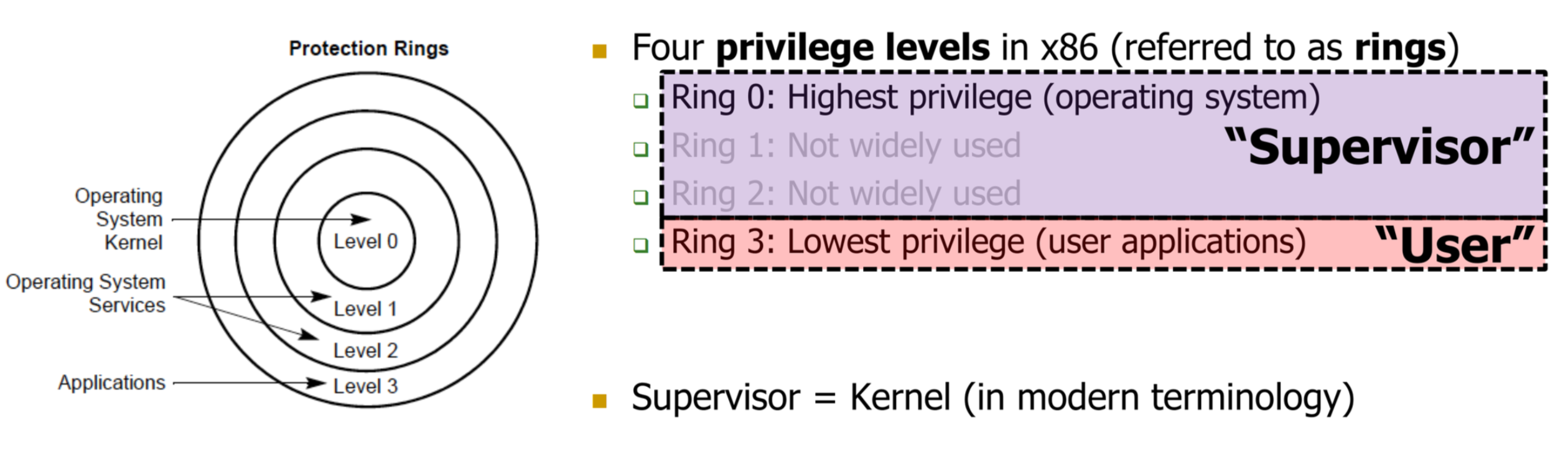
We need to keep different permissions for different process privilege levels:
The Actual Page table entries then look like this:
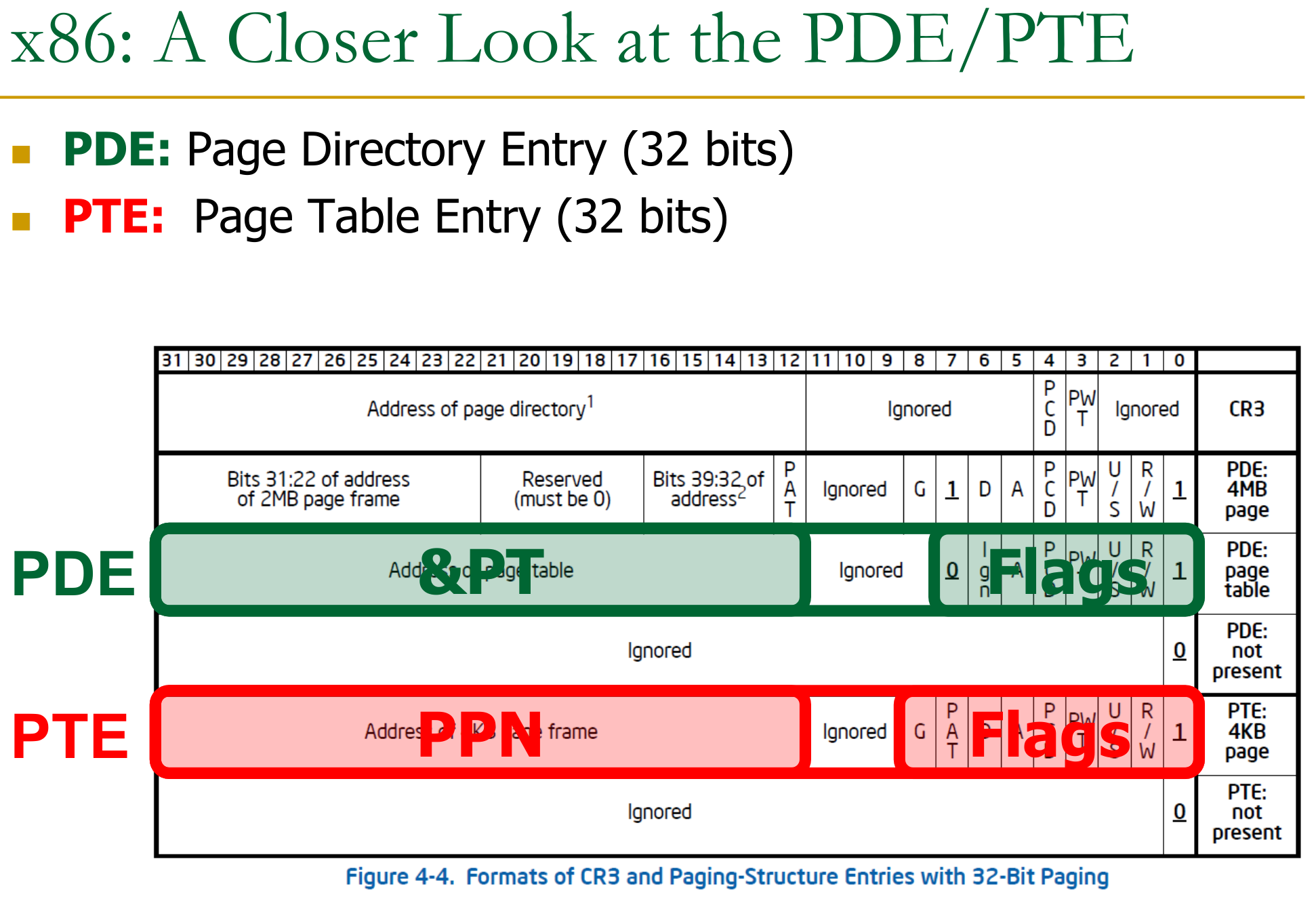
The PDE is the level 1 of the table, the PTE is the last level. Each PDE entry points to a section of the page table (the access control flags affect all of those).
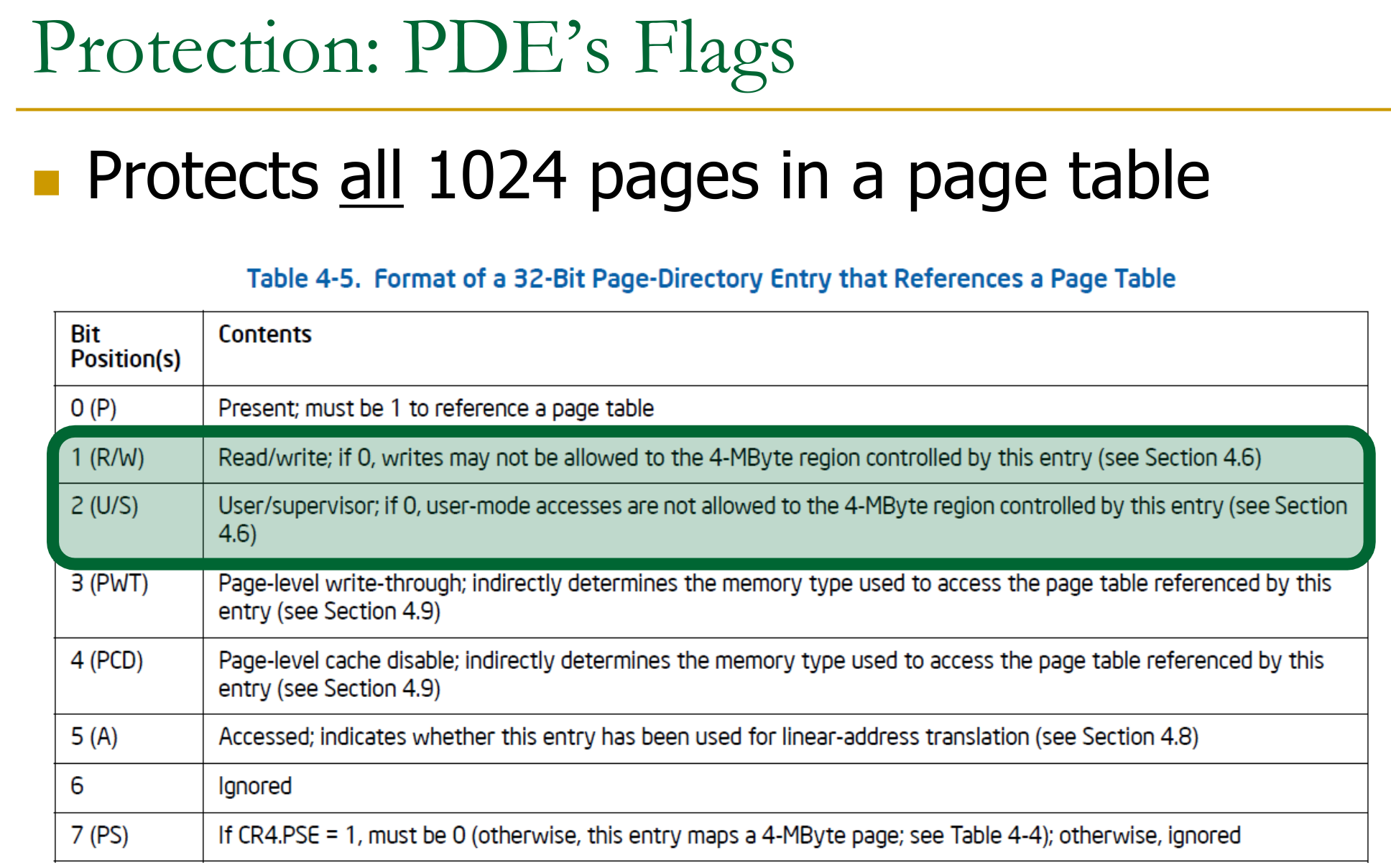
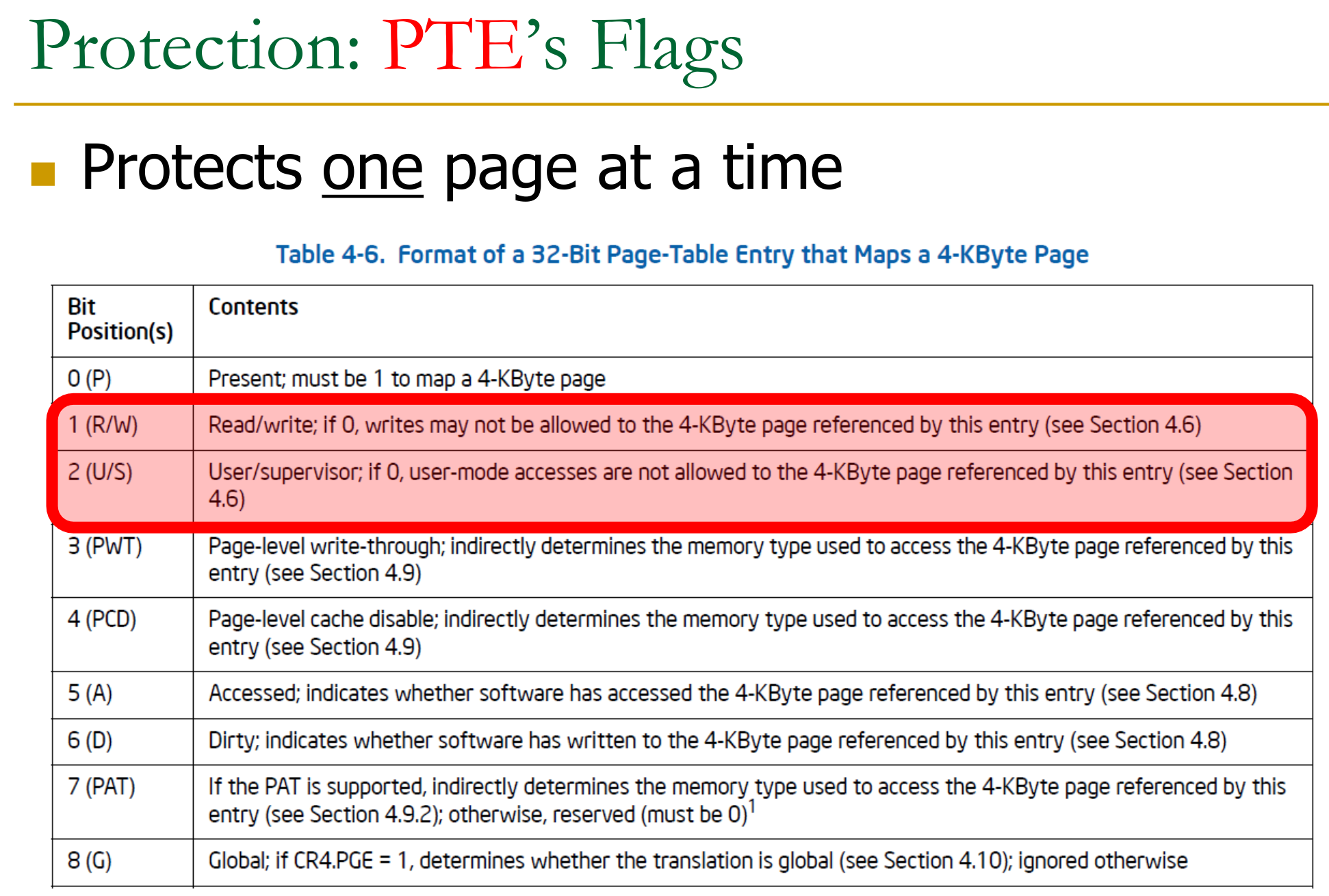
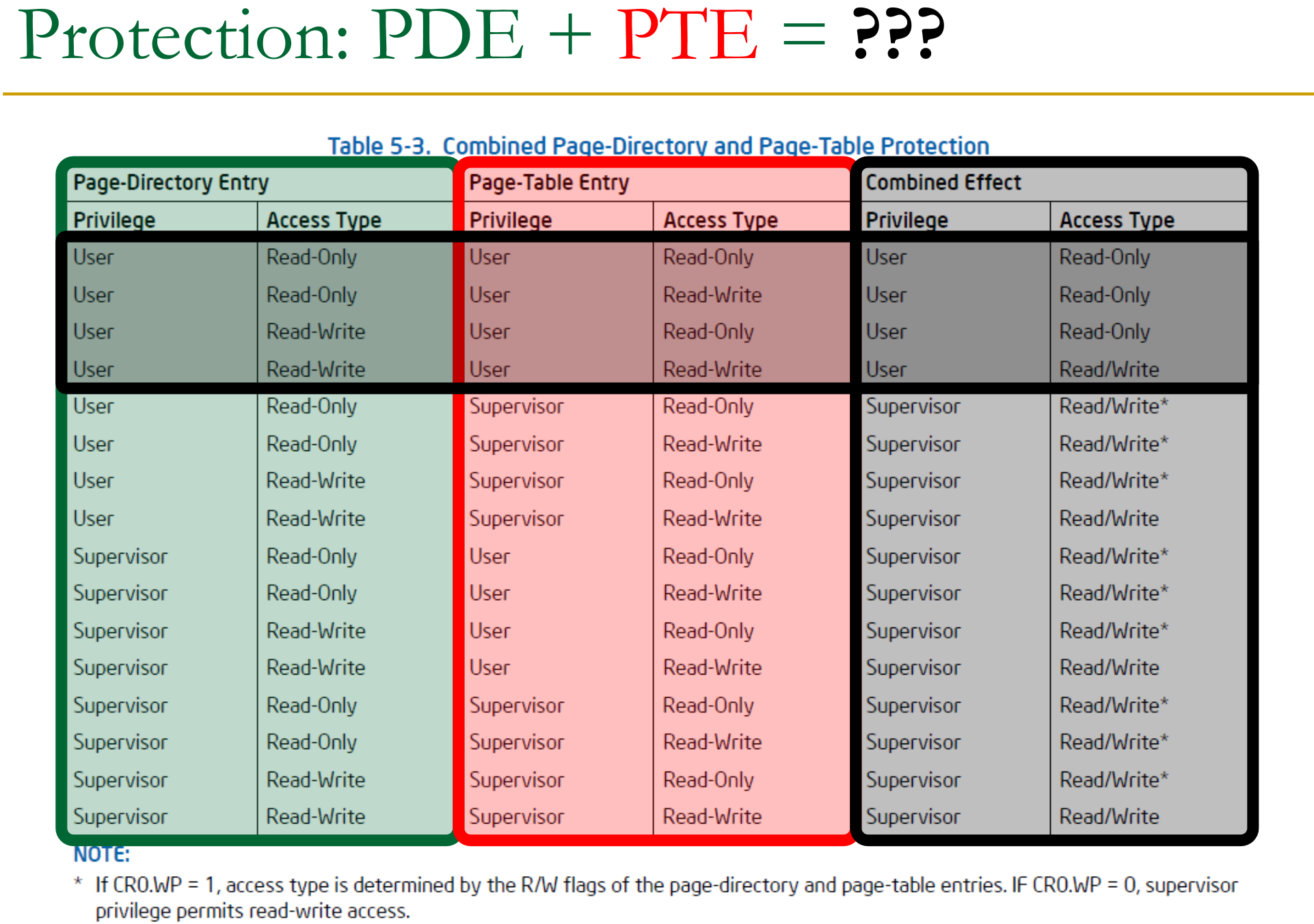
Note: this is also where rowhammer gets interesting again → if we flip a single access protection bit, we can get access to superuser only pages!
25.6.1 Kernel / User Privileges
Why do we need a U/S bit anyways? Either a process is kernel or not no?
While running a process, when it makes a syscall, the kernel takes over.
If we had the kernel running as a completely separate process with it’s own page table → expensive context-switch.
- Thus kernel’s address space is mapped into each processes address space.
- each process has it’s own level 4 page (top level) with 512 entries and CR3 (base).
- on creation, the kernel fills the upper 256 entries with it’s own pointers → map to it’s lower level pages.
- thus when modifying, anything, automatically shared across all processes
Therefore we need to protect some pages in a processes page table with superuser bits.
Meltdown the meltdown exploit used speculative execution to get access to kernel pages while the CPU was still waiting on the access check.